
In today’s digital world, almost everything we do depends on online accounts. From banking and shopping to emails and work platforms, we rely heavily on usernames and passwords to access important services.
But here’s the problem: passwords alone are no longer enough to keep your accounts safe.
Cyber threats have become more advanced, and attackers are constantly finding new ways to steal login credentials. Phishing emails, data breaches, and automated attacks can easily expose weak or reused passwords.
This is where two-factor authentication (2FA) comes in.
Two-factor authentication adds an extra layer of protection to your accounts, making it much harder for anyone to gain unauthorized access. In this article, we’ll explore how 2FA works, why it matters, and how it helps protect your digital life.
What Is Two-Factor Authentication?
Two-factor authentication, often called 2FA, is a security method that requires users to verify their identity using two different types of information before gaining access to an account.
Instead of relying solely on a password, 2FA adds a second verification step. This means that even if someone knows your password, they still won’t be able to log in without the additional factor.
Understanding the Three Types of Authentication Factors
Authentication systems are based on three main categories:
1. Something You Know
This category includes information only you should know, such as:
- Passwords
- PIN codes
2. Something You Have
This category refers to physical items you own, such as:
- Your smartphone
- A security key
- A one-time code sent to your device
3. Something You Are
This includes biometric data, such as:
- Fingerprints
- Facial recognition
- Voice patterns
How 2FA Works
Two-factor authentication combines two different categories.
For example:
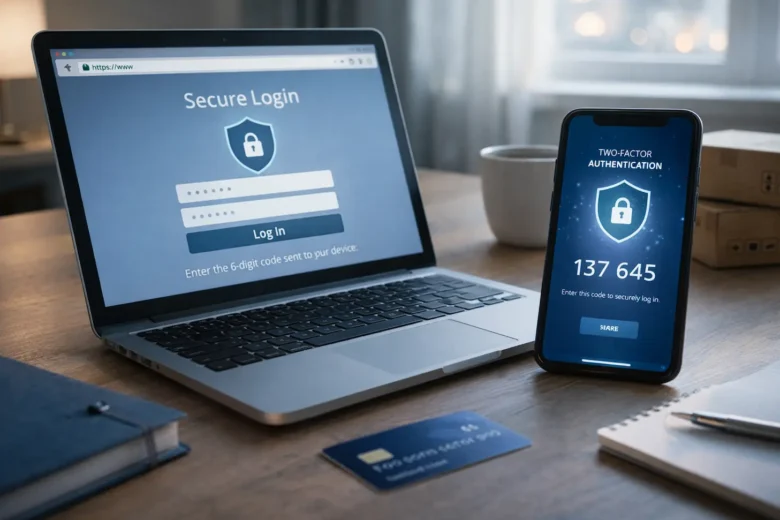
- You enter your password (something you know)
- Then enter a code sent to your phone (something you have)
This layered approach makes it much harder for attackers to break into your account.
Common Methods of Two-Factor Authentication
There are several ways 2FA can be implemented, depending on the platform and security level required.
One-Time Passwords (OTP)
This technique is the most common method.
You receive a temporary code:
- Via SMS
- Through an authentication app
These codes usually expire within 30–60 seconds, making them difficult to reuse.
Authenticator Apps
Apps like Google Authenticator or Microsoft Authenticator generate secure codes directly on your phone.
These are safer than SMS because they are not dependent on mobile networks.
Push Notifications
Some platforms send a notification to your phone asking you to approve or deny a login attempt.
This method is:
- Fast
- Easy to use
- More secure than entering codes manually
Hardware Security Keys
These are physical devices (USB or wireless) that you plug into your computer or tap on your phone.
They provide strong protection because:
- They use encryption
- They are resistant to phishing attacks
Biometric Verification
Some systems use:
- Fingerprint scans
- Face recognition
This method is convenient but must be supported by secure systems to protect biometric data.
Why Two-Factor Authentication Is Important
2FA significantly improves account security by reducing the risks associated with password-only systems.
Protection Against Stolen Passwords
Attackers still require the second factor to access your account, even if they leak or guess your password.
Defense Against Phishing Attacks
Phishing attempts may trick users into revealing passwords, but without the second factor, attackers cannot log in easily.
Reduced Impact of Data Breaches
2FA prevents immediate access to accounts in the event of a website hack and password exposure.
Stronger Overall Security
By adding an extra step, 2FA creates a barrier that most automated attacks cannot bypass.
Limitations of Two-Factor Authentication
While 2FA is highly effective, it is not completely foolproof.
SIM Swapping Attacks
If attackers gain control of your phone number, they may receive your SMS codes.
Phishing of OTP Codes
Advanced phishing attacks may trick users into entering one-time codes on fake websites.
Device Loss
If you lose your phone or security device, accessing your account can become difficult without backup options.
App-Based Risks
If your device is compromised, authentication apps may also be at risk.
Best Practices for Using 2FA Safely
To get the most benefit from 2FA, follow these practical tips:
Use Authenticator Apps Instead of SMS
They are more secure and less vulnerable to SIM-based attacks.
Enable 2FA on Important Accounts
Focus on:
- Email accounts
- Banking platforms
- Social media
- Work-related tools
Keep Backup Codes Safe
Most platforms provide backup codes. Store them securely in case you lose access to your device.
Avoid Sharing Codes
Never share your authentication codes with anyone — even if they claim to be from a trusted service.
Use Strong Passwords Alongside 2FA
2FA is an extra layer, not a replacement for effective password practices.
User Experience and Practical Considerations
While 2FA improves security, it also introduces small inconveniences.
Extra Login Steps
Users need to complete an additional step during login, which may feel slower.
Device Dependency
You need access to your phone or authentication method every time you log in.
Recovery Challenges
If you lose access to your device, recovery can take time.
However, most users find that the added security is worth the small inconvenience.
The Future of Authentication
Technology is moving beyond traditional passwords and even beyond 2FA.
Passwordless Authentication
New systems allow users to log in using:
- Biometrics
- Secure device-based authentication
This method removes the need for passwords entirely.
Advanced Security Keys
Hardware-based authentication is becoming more popular due to its strong protection against phishing.
Behavioral Authentication
Some systems analyze user behavior, such as the following:
- Typing patterns
- Device usage
- Location
This helps detect suspicious activity without requiring extra steps.
Common Mistakes to Avoid
- Using SMS-based 2FA when better options are available
- Not enabling 2FA on important accounts
- Ignoring backup codes
- Falling for phishing messages requesting codes
- Using weak passwords alongside 2FA
Avoiding these mistakes can significantly improve your security.
FAQs
1. Is two-factor authentication really necessary?
Yes, it adds an extra layer of security and protects your account even if your password is compromised.
2. Which type of 2FA is the safest?
Authenticator apps and hardware security keys are generally safer than SMS-based verification.
3. Can hackers bypass 2FA?
It’s difficult but not impossible. Advanced attacks like phishing or SIM swapping can bypass weak implementations.
4. What happens if I lose my phone?
You can use backup codes or account recovery options, so it’s important to store them safely.
5. Should I enable 2FA on all accounts?
You should enable it on all important accounts, especially email, banking, and work-related platforms.
Final Thoughts
Two-factor authentication is one of the simplest and most effective ways to protect your online accounts. Adding an extra layer of verification significantly complicates unauthorized access, even if someone exposes your password.
While it’s not perfect, it significantly reduces risk and improves your overall security.
In a world where cyber threats are constantly evolving, using 2FA is no longer optional — it’s a smart and necessary step toward protecting your digital identity.