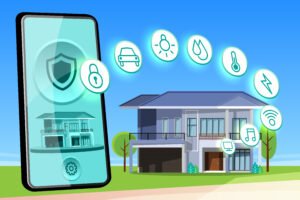
Setting up a smart home is exciting at first.
You imagine controlling everything with your phone, automating daily routines, and making your home more efficient. But for many beginners, that excitement quickly turns into frustration.
Devices stop responding, apps do not sync properly, and sometimes things just do not work the way you expected.
The problem is not smart home technology itself. It is how people set it up.
Most issues come from common mistakes that are easy to avoid if you know what to look for. Fortunately, you can rectify these mistakes without having to start from scratch.
This guide will walk you through the most common smart home setup mistakes and show you exactly how to fix them simply and practically.
Why Smart Home Setup Matters More Than You Think
A smart home is not just about buying devices.
It is about how those devices work together.
If your setup is not planned properly, you may face the following:
- Connection issues
- Security risks
- Poor performance
- Wasted money
Understanding the basics first is beneficial if you’re just starting. You can read Beginner’s Guide to Building a Smart Home on a Budget to build a strong foundation.
Most Common Smart Home Setup Mistakes
1. Buying Too Many Devices at Once
One of the biggest mistakes beginners make is trying to build a complete smart home in one go.
Such an approach leads to:
- Confusion
- Compatibility issues
- Unnecessary spending
How to fix it
Start small.
Focus on a single category, such as lighting or security. Once you are comfortable, expand gradually.
2. Ignoring Device Compatibility
Not all smart devices work together.
Buying devices without checking compatibility can lead to frustration when they cannot connect.
How to fix it
Choose a single ecosystem, such as:
- Google-based systems
- Alexa-based systems
Make sure all your devices support the same platform.
3. Weak or Unstable Wi-Fi Connection
Smart homes depend heavily on internet connectivity.
If your Wi Fi is weak or unstable, devices may disconnect or respond slowly.
How to fix it
- Place your router in a central location
- Avoid interference from walls or other electronics
- Upgrade your router if needed
You should also secure your network by following the How to Secure Your Home Wi Fi Network Step by Step Guide.
4. Using Default Passwords
Many users leave default passwords unchanged.
This creates a major security risk.
How to fix it
- Change all default passwords immediately
- Use strong and unique passwords for each device
5. Overlooking Security Settings
If you don’t enable security features, smart home devices can become vulnerable.
How to fix it
- Enable two-factor authentication
- Turn on device-level security options
You can learn more in Two Factor Authentication Strengthening Online Account Protection.
6. Poor Device Placement
Placing devices in the wrong location can reduce performance.
For example:
- Cameras with poor angles
- Sensors placed too far away
- Smart speakers in noisy areas
How to fix it
Place devices where they can function effectively:
- Cameras should cover key entry points
- Sensors should be within range
- Speakers should be easily accessible
7. Ignoring Software Updates
Outdated software can cause bugs and security issues.
How to fix it
Regularly update:
- Device firmware
- Mobile apps
- System software
Updates improve both performance and security.
8. Connecting to Unsecured Networks
Using unsecured or public networks for smart devices is risky.
How to fix it
Always connect your devices to a secure home network.
Avoid using public Wi Fi for setup or control. Learn why in Public Wi-Fi vs. Mobile Data Which Is Safer for Everyday Use.
9. Not Organizing Devices Properly in Apps
As your smart home grows, managing devices becomes harder.
Without organization, you may struggle to control them efficiently.
How to fix it
- Group devices by room
- Use clear naming conventions
- Create simple automation routines
10. Expecting Full Automation Too Soon
Many users expect everything to work automatically right away.
Such expectations often lead to disappointment.
How to fix it
Start with basic automation:
- Scheduled lights
- Simple routines
Gradually build more advanced automation as you gain experience.
Additional Mistakes That Can Affect Your Smart Home
Ignoring Data Privacy
Smart devices collect and store data.
If not managed properly, this can lead to privacy concerns.
To better understand how your data is handled, read How to Protect Your Personal Data Online (Simple Guide).
Not Monitoring Account Activity
If your smart home accounts are compromised, your devices can be controlled by someone else.
You should regularly check for unusual activity.
Learn the warning signs in 10 Signs Your Online Accounts Have Been Hacked And What to Do Immediately.
Simple Tips for a Better Smart Home Setup
Plan Before You Buy
Always define your goals before purchasing devices.
Focus on Quality Over Quantity
A few reliable devices are better than many unreliable ones.
Keep Your System Organized
Proper organization improves usability.
Stay Updated
Technology evolves quickly. Keep learning and updating your setup.
Frequently Asked Questions
Why do my smart devices disconnect frequently?
This is usually due to weak Wi Fi or network issues.
Can I fix compatibility issues after buying devices?
Sometimes, but it is better to check compatibility before purchasing.
Are smart homes difficult to maintain?
No, but they require basic management and updates.
Is security really important for smart homes?
Yes, because these devices are connected to your personal data and network.
How often should I update my devices?
Check for updates regularly and install them as soon as they are available.
Conclusion
Smart home technology can make your life easier, but only if it is set up correctly.
Most problems are not caused by the technology itself, but by simple mistakes during setup. The good news is that these mistakes are easy to fix once you understand them.
By starting small, focusing on compatibility, securing your network, and maintaining your devices, you can create a smart home that actually works the way you expect.
A smart home should simplify your life, not complicate it. With the right approach, you can enjoy the benefits without the frustration.