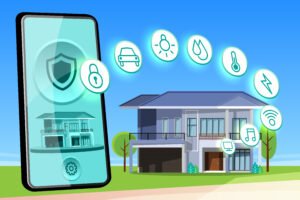
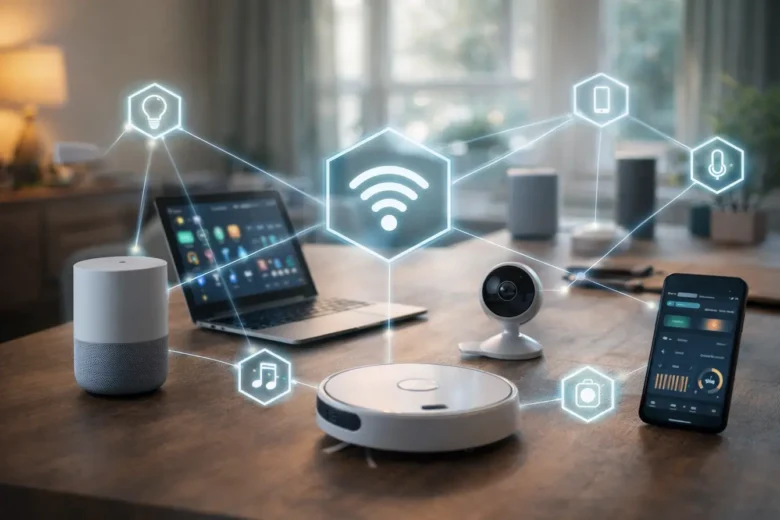
If you’ve ever tried using multiple smart devices in your home, you’ve probably noticed something frustrating — each device often comes with its own app, its own settings, and its own way of working. A smart bulb works in one app, your security camera in another, and your thermostat somewhere else entirely.
At first, it feels manageable. But as you add more devices, things quickly become messy.
This is where the idea of a unified smart ecosystem becomes important. Instead of managing devices separately, you connect them into one system where everything works together. Lights adjust automatically, temperature responds to your routine, and security systems operate in sync.
In this article, we’ll break down how smart device integration actually works, why it matters, and how you can build a reliable and future-ready setup.
What Is a Unified Smart Device Ecosystem?
A unified ecosystem is a connected environment where multiple smart devices communicate and operate together through a shared system.
Instead of:
- Opening different apps for each device
- Manually controlling everything
- Dealing with compatibility issues
You get:
- Centralized control
- Automated routines
- Better efficiency and convenience
For example, a single action like “Good Night” can:
- Turn off lights
- Lock doors
- Adjust temperature
- Activate security systems
This level of coordination is only possible when devices are properly integrated.
Connectivity Standards and Communication Protocols
Why Communication Matters
Smart devices don’t just connect magically — they rely on specific communication protocols to exchange data.
The most common ones include:
- Wi-Fi – High speed, ideal for cameras and streaming devices
- Bluetooth Low Energy (BLE) – Short range, energy efficient
- Zigbee / Z-Wave – Low power mesh networks
- Thread – Modern protocol designed for smart homes
Each has its strengths, and choosing the right one affects performance and reliability.
Mesh Networks for Better Coverage
Protocols like Zigbee and Thread use mesh networking.
This means:
- Devices act as signal repeaters
- Coverage improves across the home
- Connection becomes more stable
This is especially useful in larger homes where Wi-Fi alone may struggle.
The Importance of Standardization
One of the biggest challenges in smart homes is compatibility.
New standards (like Matter) aim to:
- Allow devices from different brands to work together
- Reduce reliance on multiple apps
- Simplify setup and integration
Without standardization, ecosystems can become fragmented and difficult to manage.
Centralized Control Systems and Hubs
The Role of a Smart Hub
A hub (or controller) acts as the brain of your smart home.
It:
- Connects different devices
- Translates communication between protocols
- Runs automation rules
Examples include smart speakers or dedicated home hubs.
Cloud vs Local Control
There are two main ways systems operate:
Cloud-Based Systems
- Access from anywhere
- Easy setup
- Depend on internet connectivity
Local (Edge-Based) Systems
- Faster response times
- Work even without internet
- More privacy-focused
In my experience, a hybrid approach works best — local control for reliability and cloud access for convenience.
Automation and Workflow Coordination
Turning Devices Into a System
Automation is where smart homes become truly useful.
Instead of controlling devices manually, you set rules like:
- Lights turn on when motion is detected
- AC adjusts based on room temperature
- Doors lock automatically at night
Advanced Automation with Context
More advanced systems use:
- Time schedules
- Location tracking (geofencing)
- Behavioral patterns
For example:
- Your home detects when you leave and reduces energy usage
- Lights adjust based on natural daylight
Data Synchronization
All devices must stay updated in real time.
If you:
- Turn off a light manually
- Or change a setting
It should reflect across:
- Mobile apps
- Voice assistants
- Control panels
Reliable synchronization ensures smooth operation without confusion.
Cybersecurity and Privacy Considerations
Why Security Is Critical
Every connected device adds a potential risk.
Common vulnerabilities include:
- Weak passwords
- Outdated firmware
- Unsecured networks
Essential Security Practices
To protect your system:
- Use strong, unique passwords
- Enable two-factor authentication
- Keep all devices updated
- Use a secure Wi-Fi network
Network Segmentation
One smart move is separating your smart devices from your main network.
This:
- Limits damage if one device is compromised
- Protects personal data on your primary devices
Data Privacy Awareness
Smart devices collect data like:
- Usage patterns
- Voice commands
- Video footage
Always:
- Check privacy settings
- Choose trusted brands
- Understand what data is stored and how it’s used
Scalability and Future-Proofing
Planning for Growth
Most people don’t stop at one or two smart devices.
A good system should:
- Support adding new devices easily
- Work with different brands
- Avoid complete system resets
Compatibility Matters
Before buying a new device, check:
- Supported protocols
- Integration with your current system
- Long-term software support
Avoiding Ecosystem Lock-In
Some brands try to lock users into their own ecosystem.
This can:
- Limit flexibility
- Increase costs over time
Choosing open or widely supported platforms helps avoid this issue.
Practical Experience and Real-World Lessons
From experience, the biggest mistake people make is rushing into smart home setups without planning.
What worked for me:
- Starting with a small setup
- Choosing devices that support multiple standards
- Focusing on automation, not just control
One mistake I made early on was buying devices that didn’t integrate well together. It created unnecessary complexity and required extra apps.
Over time, simplifying the system actually improved both performance and usability.
Common Mistakes to Avoid
- Buying devices without checking compatibility
- Relying only on Wi-Fi for all devices
- Ignoring firmware updates
- Using weak passwords
- Overcomplicating automation rules
Pro Tips for Better Integration
- Choose devices that support open standards
- Use a central hub for better control
- Start simple, then expand gradually
- Regularly review and update your setup
- Prioritize security from the beginning
FAQs
1. What is a smart home ecosystem?
A smart home ecosystem is a network of connected devices that work together through a central system, allowing automation and unified control.
2. Do I need a hub for smart devices?
Not always, but a hub improves integration, especially when using devices with different communication protocols.
3. Can smart devices work without the internet?
Some can operate locally, especially with a hub, but remote access and advanced features usually require internet connectivity.
4. Are smart homes secure?
They can be secure if proper precautions are taken, such as using strong passwords, updates, and network protection.
5. How do I make my smart home future-proof?
Choose devices that support open standards, avoid brand lock-in, and ensure regular software updates.
Conclusion
Integrating multiple smart devices into a unified ecosystem is less about buying more gadgets and more about making everything work together smoothly.
When done right, it:
- Simplifies daily routines
- Improves energy efficiency
- Enhances comfort and security
The key is to focus on compatibility, security, and long-term usability rather than just features.
Start small, build gradually, and always think of your smart home as a system — not just a collection of devices.