
Published: July 13, 2026 | Last Updated: May 31, 2026
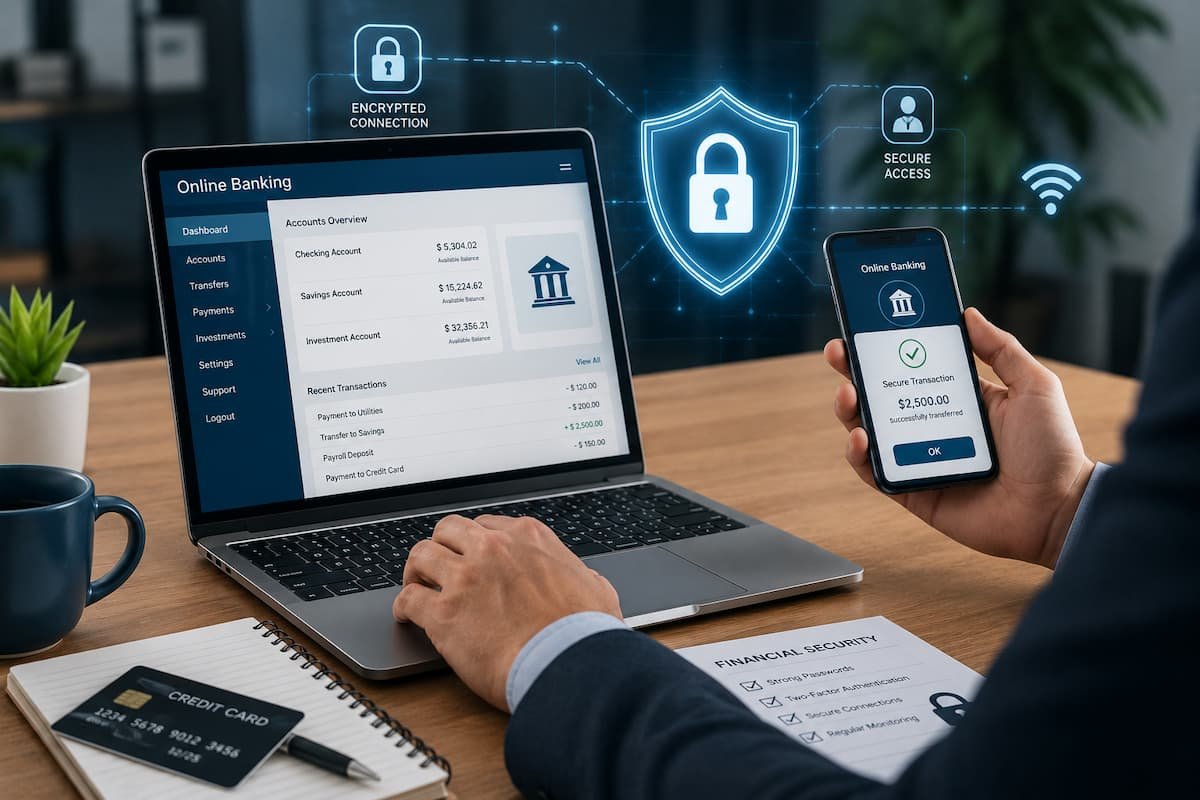
Building secure online banking habits does not require advanced technical knowledge. Simple actions, such as using strong passwords, keeping devices updated, and recognizing suspicious activity, can greatly reduce risks. In this guide, you will learn practical ways to protect your online banking accounts and make safer financial decisions in the digital world.
Why Online Banking Security Matters Today
Digital banking has become a normal part of everyday life. Many people rarely visit physical bank branches because they can complete most financial tasks online. While this makes banking easier, it also means personal financial information is stored and accessed through internet-connected devices. Bank accounts contain valuable information, including personal details, transaction history, and payment information. If criminals gain access to this information, they may attempt unauthorized transfers, identity theft, or fraudulent purchases.
Modern banks invest heavily in security systems, encryption technology, and fraud detection tools. However, customers also play an important role in protecting their own accounts. A secure banking experience depends on both the financial institution and the habits of the person using the service. Many security problems begin with small mistakes. Using the same password for multiple websites, ignoring security alerts, or logging into a banking account through an unsafe network can create unnecessary risks. The good news is that online banking safety is manageable. By following consistent habits and staying aware of common threats, users can significantly improve their financial security.
Create Strong and Unique Banking Passwords
A strong password is one of the first defenses protecting an online banking account. Many account breaches happen because people choose passwords that are easy to guess or use the same password across different websites. A banking password should be difficult for others to predict. Simple combinations based on names, birthdays, phone numbers, or common words are easier for attackers to discover. Criminals often use automated tools that can test thousands of possible password combinations quickly. A safer approach is creating a password that is long, unique, and unrelated to personal information. The password used for online banking should also be different from passwords used for email, shopping websites, or social media accounts.
Why Password Reuse Creates Problems
Using the same password on multiple websites creates a chain reaction risk. If another website suffers a data breach and your password becomes exposed, criminals may try that same password on banking platforms. For example, someone may use the same password for a shopping account and their bank account. If the shopping account is compromised, attackers may attempt to access the financial account using the stolen login details. Creating separate passwords for important accounts reduces this risk. A banking account should always receive the highest level of password protection because it provides access to financial information. Password managers can also help users create and store strong passwords securely. Instead of remembering many complex passwords, users only need to protect one main password for the password manager.
Use Additional Account Protection Features
Passwords alone are no longer enough to provide complete protection. Many banks now offer additional security features that add another layer of verification before allowing account access. One common protection method is multi-factor authentication. This security feature requires users to confirm their identity using an additional method after entering their password. The second verification step may involve a security code sent to a trusted device, an authentication application, or another approved verification method. Even if someone discovers a password, they may still be unable to access the account without the additional verification step.
Why Extra Security Layers Are Important
Cybercriminals often target passwords through phishing attacks, leaked databases, or social engineering techniques. Additional verification makes stolen passwords less useful because attackers need another form of confirmation. Whenever a bank provides security features such as login alerts, device verification, or transaction notifications, customers should consider enabling them. These tools help users detect unusual activity quickly. Security features are most effective when they are activated before a problem occurs. Waiting until after suspicious activity appears can make account recovery more difficult.
Recognize and Avoid Online Banking Scams
Phishing is one of the most common methods criminals use to steal banking information. These scams usually involve fake emails, messages, websites, or phone calls designed to appear as if they come from a trusted organization. A phishing message may claim that there is a problem with your account, a suspicious payment has been detected, or urgent verification is required. The goal is often to make people react quickly without thinking carefully. Professional-looking designs do not always mean a message is genuine. Criminals can create websites and emails that closely copy real banks, including logos, colors, and official-looking language.
Users should be careful with unexpected messages asking for passwords, security codes, or personal information. Legitimate banks usually do not ask customers to provide confidential login details through email or text messages. Before clicking any link, users should check where it leads. Instead of opening banking links from messages, it is safer to access the bank directly through the official website or mobile application. Urgent language is another common warning sign. Messages that create panic by saying an account will immediately close or money will be lost are often designed to pressure people into making mistakes.
Security Tip: Never share your online banking password or verification code with anyone, even if they claim to be from your bank.
Keep Your Devices Safe for Banking
The device you use for online banking plays an important role in protecting your financial information. A secure banking account can still become vulnerable if the computer, smartphone, or tablet used to access it has outdated software, harmful programs, or weak security settings. Many people focus only on protecting their bank login details while ignoring the security of their devices. However, criminals can use malware, spyware, or unsafe applications to monitor activity and collect sensitive information. Using a trusted device for banking is one of the simplest ways to reduce risk. Avoid performing important financial activities on unknown computers or shared devices because they may contain programs that record passwords or personal information.
Protecting Smartphones Used for Banking
Smartphones have become one of the most common tools for managing bank accounts. Because phones contain many personal apps and private details, they should always have basic security protection enabled. A screen lock using a strong PIN, fingerprint, or facial recognition can prevent unauthorized access if the device is lost or stolen. Without a screen lock, anyone who finds the phone may be able to open banking applications and view private information.
Users should also download banking applications only from official app stores. Installing applications from unknown websites can introduce harmful software that may collect personal information without permission. It is also important to review installed applications regularly. Removing apps that are no longer needed reduces possible security risks and keeps the device easier to manage.
Be Careful With Public or Shared Devices
Public computers in libraries, hotels, offices, or internet cafés may not provide a safe environment for banking. These devices may store login information or contain hidden monitoring software. If accessing a bank account from a shared device is unavoidable, users should avoid saving passwords and should always log out completely after finishing. Clearing browser history and closing the session can help reduce exposure. For regular banking activities, a personal device with updated security settings is a much safer choice.
Use Secure Internet Connections
The internet connection used for online banking can affect account security. Many people connect to free public Wi-Fi without considering the risks involved. Public Wi-Fi networks in places such as airports, cafés, and shopping centers are convenient, but they may not always provide strong protection. Some attackers create fake networks with names that look similar to legitimate Wi-Fi connections. When someone connects to an unsafe network, criminals may attempt to monitor internet traffic or redirect users to fake websites designed to steal information.
Why Home Networks Are Usually Safer
A private home network is generally safer because the user controls the router and password settings. However, home networks also need proper protection. Changing the default router password, keeping router software updated, and using modern security settings can improve network safety. Many people install a router and never change its original settings. Default passwords are often known publicly, which makes them easier for attackers to exploit.
Safe Practices When Using Internet Connections
When possible, financial activities should be completed through trusted networks. If someone must access online banking while traveling, using mobile data or a trusted secure connection may be safer than connecting to unknown public Wi-Fi. A secure website connection is also important. Before entering banking information, users should confirm that they are visiting the correct website and that the connection is protected.
Safety Reminder: Avoid checking your bank account or making payments while connected to unknown public networks whenever possible.
Keep Banking Apps and Software Updated
Software updates are not only about adding new features. They often include important security improvements that fix weaknesses discovered by developers. Banks regularly update their mobile applications to improve protection, performance, and compatibility. Ignoring these updates may leave users exposed to security problems that have already been fixed. The same applies to operating systems, web browsers, and security software. An outdated device may contain weaknesses that attackers can use to gain access.
Why Delaying Updates Can Be Risky
Some users postpone updates because they seem inconvenient or take time to install. However, security updates are often released because a vulnerability has been discovered. Installing updates regularly reduces the chance of attackers exploiting known problems. It is a simple habit that provides long-term protection. Automatic updates can make this process easier. When trusted software updates automatically, users are less likely to forget important security improvements.
Protect Your Personal Information
Protecting online banking accounts is not only about passwords and technology. Personal information shared online can also affect financial security. Criminals often use publicly available information to create convincing scams. Details such as names, birthdays, locations, and personal interests can help attackers make fake messages appear more believable. Being careful about what information is shared online reduces opportunities for social engineering attacks.
Be Careful About Social Engineering
Social engineering involves manipulating people into revealing information or taking unsafe actions. Instead of attacking computer systems directly, criminals may try to trick individuals through trust and emotions. A scammer may pretend to be a bank employee, government representative, or technical support worker. They may create a sense of urgency to convince someone to share confidential details. A good habit is to verify unexpected requests independently. If someone contacts you claiming to represent your bank, use official contact information from the bank’s website rather than responding directly.
Practice Safe Online Payment Habits
Online banking is often connected with shopping, subscriptions, and digital payments. Using safe payment habits can reduce financial risks beyond protecting the bank login itself. Before entering payment information, users should confirm that the website is legitimate. Fake shopping websites can collect card details and personal information while appearing like real businesses. It is also helpful to avoid saving payment information on websites that are rarely used. Reducing the number of places where financial details are stored can limit exposure. When making online purchases, reviewing transaction confirmations and keeping records of payments can help identify problems quickly.
Know What to Do If Your Account Is Compromised
Even careful users can sometimes become victims of scams or account breaches. Knowing how to respond quickly can reduce damage. The first step is to contact the bank through official channels. Banks have procedures for handling suspicious activity, blocking unauthorized transactions, and protecting customer accounts. Changing passwords, reviewing recent activity, and removing unauthorized devices from account settings are also important actions. Users should avoid delaying action because criminals may continue attempting access after obtaining account information.
Building Long-Term Online Banking Safety Habits
Online banking security is not a one-time task. It is an ongoing process that requires regular attention and responsible habits. Technology changes constantly, and criminals continue developing new methods to target users. The safest approach is to make security a normal part of everyday digital activities.
Small actions performed consistently can create strong protection over time. Checking account activity, updating devices, using secure login methods, and staying aware of new scams all contribute to better financial safety. Many people think cybersecurity requires advanced technical skills, but most effective protections are simple habits. The goal is not to eliminate every possible risk, because no system can provide perfect protection. Instead, the goal is to reduce unnecessary risks and respond quickly when something unusual happens.
Common Online Banking Mistakes to Avoid
Many online banking problems happen because of simple mistakes rather than advanced attacks. Avoiding these common errors can greatly improve account protection. One common mistake is sharing security information with others. Passwords, verification codes, and account details should always remain private. Even trusted individuals should not normally need access to personal banking credentials.
Another mistake is ignoring unusual account activity. Small unknown charges or unfamiliar login notifications should not be dismissed. Early attention can prevent larger financial problems. Some users also avoid security features because they seem inconvenient. However, extra verification steps and alerts exist to provide protection, not to create unnecessary difficulty.
FAQs
1. How can I tell if an online banking message is fake?
Fake banking messages often create urgency, request private information, or contain suspicious links. Legitimate banks usually do not ask customers to provide passwords or security codes through email or text messages. Users should verify unexpected messages by contacting the bank directly through official contact methods. Checking the sender details and avoiding rushed decisions can help identify many common scams.
2. Is public Wi-Fi safe for checking my bank account?
Public Wi-Fi networks can create additional risks because users may not know who manages the network or whether it is properly secured. It is generally better to avoid sensitive activities such as banking on unknown public networks. If banking access is necessary while away from home, using a trusted connection or mobile data may provide a safer option.
3. What should I do if I notice suspicious banking activity?
If you notice unknown transactions, unusual login attempts, or other suspicious activity, contact your bank as soon as possible using official contact information. You should also review recent account activity, change passwords if needed, and follow the bank’s instructions. Acting quickly can help reduce possible damage and improve the chances of recovering unauthorized funds.
4. How often should I check my online banking account?
There is no fixed rule, but checking your account regularly helps you notice problems earlier. Many people review their transactions several times a week or enable automatic alerts for payments and account changes. Frequent monitoring makes it easier to identify unfamiliar activity before it becomes a larger issue.
Conclusion
Online banking provides incredible convenience, allowing people to manage money anytime and from almost anywhere. However, this convenience also requires responsible digital habits. Protecting financial information is not only the responsibility of banks; customers also play a major role in keeping accounts secure.
Strong passwords, additional verification methods, careful online behavior, secure devices, and regular account monitoring create a strong foundation for safer banking. These habits are simple, but they can make a significant difference in protecting personal finances. The digital banking world will continue to change, but the basic principles of security will remain important. Staying informed, thinking carefully before sharing information, and using available security tools can help people enjoy the benefits of online banking with greater confidence.
References
The following trusted sources provide additional information about online security and safe digital banking practices:
- Consumer Financial Protection Bureau (CFPB) – Consumer guidance about financial security and protecting personal information:
https://www.consumerfinance.gov/ - Federal Trade Commission (FTC) – Information about online scams, identity theft, and consumer protection:
https://consumer.ftc.gov/ - Cybersecurity and Infrastructure Security Agency (CISA) – Cybersecurity guidance for individuals:
https://www.cisa.gov/ - National Cyber Security Centre (NCSC) – Guidance on online safety and account protection:
https://www.ncsc.gov.uk/ - Federal Deposit Insurance Corporation (FDIC) – Information about safe banking practices:
https://www.fdic.gov/

Robert Chen is a smart home technology consultant and the founder of ClarityTechHub. With over eight years of hands-on experience installing residential solar systems, configuring smart security networks, and optimizing connected home devices, Robert writes from direct practical experience. He has advised more than one hundred homeowners on energy-efficient technology upgrades and regularly tests emerging devices to evaluate real-world performance. All product recommendations and technical guides on ClarityTechHub are based on independent research and firsthand testing.