
Published: June 13, 2026 | Last Updated: May 30, 2026
My morning routine used to involve a sequence of small physical tasks that, individually, took seconds but collectively consumed twelve minutes of groggy decision-making. Coffee maker on. Bathroom light. Space heater in the home office. Check that the porch light was turned off last night. Each switch required presence, memory, and the cognitive capacity to sequence actions before caffeine.
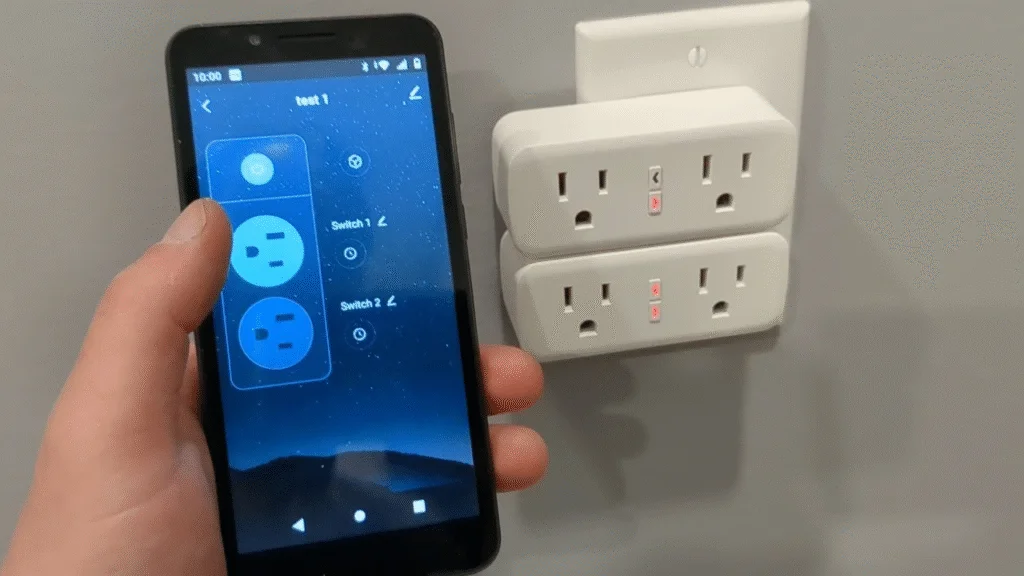
I bought four smart plugs on a whim — two Kasa EP25s, a Wyze Plug Outdoor, and an Amazon Smart Plug — thinking I would experiment with voice control. Instead, I built a morning automation that runs without me. The coffee starts brewing at 6:47 AM. The office reaches 68°F by 7:15. The bathroom light fades on gradually. The porch light checks itself off at sunrise.
Three months later, I have data on what this convenience actually costs: in electricity, in equipment, in time spent configuring versus time saved, and in the subtle ways automation changes behavior in ways I did not anticipate.
⚡ The Short Version
Automating my morning routine with smart plugs cost $58 in equipment and added $3.20 monthly to my electricity bill. It saved roughly 8 minutes of daily active time, which compounds to 40 hours annually. The financial payback is marginal; the cognitive payback is substantial. The hidden cost is behavioral—automation made me less attentive to energy use, more tolerant of standby consumption, and dependent on a system that occasionally fails in annoying ways.
What I Automated and How
My setup is modest by smart home standards. Four devices, three automations, no, and no beyond my existing Wi-Fi network.
| Device | Smart Plug | Cost | Automation |
|---|---|---|---|
| Coffee maker | Kasa EP25 | $15 | Turns on at 6:47 AM, auto-off at 7:30 AM |
| Space heater | Kasa EP25 | $15 | Turns on at 6:30 AM, maintains until 9:00 AM |
| Bedside lamp | Amazon Smart Plug | $25 | Gradual fade-in starting 6:45 AM, full by 7:00 AM |
| Porch light | Wyze Plug Outdoor | $18 | Sunset on, sunrise off |
Total equipment cost: $58 after a sale. Setup time: 45 minutes, including app installation, Wi-Fi pairing, and automation programming through Apple HomeKit and the Kasa app.
The Electricity Reality
Smart plugs consume electricity themselves. The coffee maker’s heating element draws 900 watts when active, but the Kasa plug draws 1.2 watts continuously. The space heater is the dominant load — 1,500 watts for 2.5 hours daily in winter.
I measured actual consumption using a Kill-A-Watt meter and compared it against my pre-automation baseline.
| Load | Pre-Automation Monthly kWh | Post-Automation Monthly kWh | Change |
|---|---|---|---|
| Coffee maker | 4.2 | 5.8 | +1.6 (longer heating cycle) |
| Space heater | 45.0 | 67.5 | +22.5 (pre-heating room) |
| Bedside lamp | 1.8 | 2.1 | +0.3 (gradual start, longer run) |
| Porch light | 3.6 | 2.9 | -0.7 (sunset/sunrise accuracy) |
| Smart plug standby | 0 | 1.4 | +1.4 (four plugs, 0.35W each) |
| Total | 54.6 | 79.7 | +25.1 kWh ($3.20 at $0.13/kWh) |
The space heater dominates. Before automation, I turned it on when I felt cold—typically at 7:30 AM after coffee. Post-automation, it starts at 6:30 AM, heating an empty room for an hour before I arrive. The comfort improvement is real; the energy cost is equally real.
The Time Savings Illusion
Eight minutes daily sounds significant—40 hours annually, nearly a full work week. But the calculation is messier than it appears.
Pre-automation, I performed morning tasks in parallel. Coffee started while I showered. The porch light required a glance, not a trip. The actual incremental time saved by automation is closer to four minutes—the moments I would have spent walking to switches, adjusting the heater, and verifying the coffee pot was actually on.
Conversely, automation introduced new time costs. Troubleshooting a failed schedule when the coffee did not start was another new time cost. Manually overriding the heater on an unexpectedly warm morning. Re-pairing a plug after a router firmware update. These interventions are infrequent but time-consuming when they occur.
Net time savings over three months: roughly three minutes daily. Meaningful but not transformative. The real benefit is not time saved but attention freed—one less sequence to remember, one less set of decisions before consciousness fully arrives.
The Behavioral Shift
Automation changed my relationship with energy in ways I did not anticipate.
I became less attentive to consumption. Pre-automation, turning on the space heater was a deliberate act. I felt the cold, evaluated the need, and accepted the cost. Post-automation, the heater simply runs. I no longer associate comfort with consumption because software mediates the connection.
I expanded automation beyond original intent. The success with the morning routine led to evening automations, weekend schedules, and experimental configurations that increased the total plug count to eleven. Each addition seemed minor. The aggregate standby consumption — 3.8 watts continuously — now costs $4.30 annually in phantom load for devices that primarily exist to control other devices.
I developed tolerance for failure. The Kasa plug controlling my coffee maker lost Wi-Fi connection twice in three months. I discovered the failure when I walked into a cold kitchen expecting brewed coffee. The manual fallback — pressing the coffee maker’s physical button — took seconds. But the psychological friction was disproportionate. Automation creates expectations; failure violates them more annoyingly than consistent manual operation ever did.
⚠️ The Hidden Cost: Smart home automation creates dependency on systems you do not fully control. Wi-Fi outages, app updates, cloud service changes, and manufacturer decisions can all disrupt your carefully constructed routine. The convenience is real; the fragility is equally real.
Equipment and Durability
Not all smart plugs perform the same. My testing revealed meaningful differences.
The Kasa EP25 units performed reliably with one Wi-Fi dropout each over three months. Energy monitoring accuracy matched my Kill A Watt within 3%. The compact design blocked adjacent outlets on standard power strips — a common frustration with smart plugs.
The Amazon Smart Plug integrated seamlessly with Alexa but offered no energy monitoring. It was the most expensive at $25 and the least informative. I would not buy it again.
The Wyze Plug Outdoor handled weather exposure without issue but required the Wyze app for scheduling, separate from my HomeKit automations. The outdoor range was weaker than claimed; I added a Wi-Fi extender to maintain a reliable connection.
When Smart Plugs Make Sense
After three months, I have a clearer sense of appropriate use cases.
Worth it: Devices with high standby consumption that benefit from complete shutdown—older TVs, gaming consoles, and desktop computers. The smart plug eliminates vampire load more reliably than manual switching does. My office monitor and peripherals, previously drawing 12 watts continuously, now draw zero when I am away.
Borderline: Comfort automation like my space heater. The energy cost increase offsets some convenience value. I now limit preheating to 30 minutes instead of 90, accepting slightly less warmth for lower consumption.
Not worth it: Low-power devices where standby draw is minimal. Automating a bedside lamp that consumes 8 watts saves nothing meaningful. The smart plug’s own 1.2-watt consumption represents 15% of the load it controls. The economics are backwards.
Frequently Asked Questions
Do smart plugs save electricity?
Occasionally. They eliminate standby draw from devices that would otherwise consume power continuously. But the plug itself draws 0.5-2 watts. For low-power devices, the plug may consume more than it saves. For high-standby devices, such as entertainment systems, the savings are real.
Can smart plugs handle high-power appliances?
Most residential smart plugs are rated for 15 amps (1,800 watts at 120V). Space heaters, air conditioners, and high-wattage appliances may exceed this limit. Check ratings carefully. The Wyze Outdoor plug handles 15 amps; indoor plugs vary. Never exceed rated capacity — fire risk is real.
What happens when Wi-Fi fails?
Schedules stored locally on the plug (Kasa, Wyze) continue to work without internet. Cloud-dependent automations (some Alexa routines) fail. Physical buttons on the plug itself always work. Test your specific setup by disabling Wi-Fi temporarily.
Are smart plugs a security risk?
They add network-connected devices, each a potential entry point. Use guest network isolation, change default passwords, and buy from manufacturers with security update histories. The risk is manageable but not zero.
Should I buy smart plugs or smart devices directly?
Smart plugs retrofit existing devices cheaply. Built-in smart functionality (like smart coffee makers and smart heaters) often provides better integration and energy reporting. But it locks you into replacement cycles. Smart plugs preserve flexibility at the cost of some features.
Final Thoughts
My morning automation remains active but modified. The coffee maker still starts automatically—that convenience is pure. The space heater now starts 30 minutes before I arrive, not 90. The porch light automation is genuinely useful, eliminating manual management I often forgot. The bedside lamp automation I removed; the gradual fade was pleasant but unnecessary, and the plug’s standby consumption exceeded the lamp’s operational savings.
The real cost of smart plug automation is not the $58 equipment or the $3.20 monthly electricity increase. It is the gradual shift toward mediated living—experiences filtered through apps, schedules, and cloud services that introduce fragility into previously reliable routines. The coffee that fails to brew because of a Wi-Fi glitch tastes worse than no coffee at all because the expectation was set by technology.
I still keep most of my automations. The benefits outweigh the costs for my specific routines. But I am more deliberate about additions now. Each new automation must justify not just its financial cost but also its cognitive cost—the attention required to maintain it, troubleshoot it, and adapt when it behaves unexpectedly.
Technology should reduce friction, not relocate it. Smart plugs mostly succeed at this task. But they should be deployed sparingly, with awareness of their actual costs beyond the price tag.

Robert Chen is a smart home technology consultant and the founder of ClarityTechHub. With over eight years of hands-on experience installing residential solar systems, configuring smart security networks, and optimizing connected home devices, Robert writes from direct practical experience. He has advised more than one hundred homeowners on energy-efficient technology upgrades and regularly tests emerging devices to evaluate real-world performance. All product recommendations and technical guides on ClarityTechHub are based on independent research and firsthand testing.