
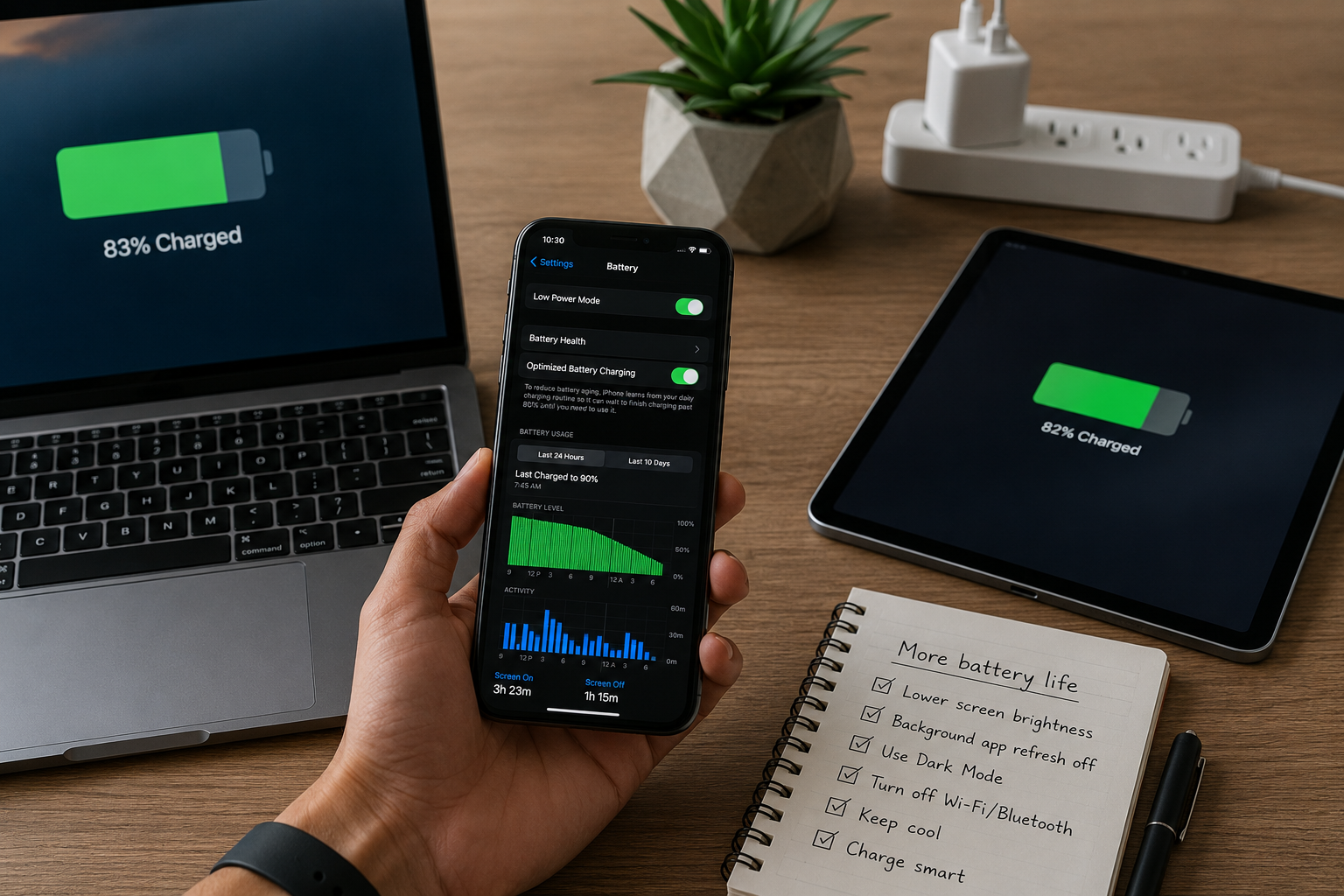
You look at your phone, and an uneasy feeling creeps over you. A notification appears that your battery is down to 10%. It is only 2:00 PM, and you don’t have a charger with you. For years, this was my daily routine. I was constantly looking for a power outlet in cafes; my backpack was always packed with a large power bank, and I tried to limit my screen time when I was on the go.
Hello, I am Robert. I cannot do without my smartphone, laptop, and tablet; they are essential for my work and private life. I had long resigned myself to the fact that poor battery life is a common problem with modern technology. After all, I use my devices so often that I have come to expect their short lifespan. Until one day, my smartphone battery completely gave out, and I realised how serious the problem was. I decided to seriously investigate how my devices functioned.
I discovered that my usage habits were straining them. To reduce battery consumption, you don’t have to give up your favourite apps or turn your expensive smartphone into a brick. The key is understanding which apps run silently in the background and consume power. By consciously adjusting my settings and using my devices differently, I have doubled the battery life of my smartphone and laptop every day. Here’s how I found these hidden ‘power hogs’ and reclaimed my battery life.
How to Manage Background App Refresh:
My biggest discovery during my quest for better battery life was that apps remain active even when I am not using them. Most people think that apps go into sleep mode when they close and the home screen opens. But in reality, dozens of apps are constantly running in the background. They refresh social media feeds, check for new emails, and update location data so that everything is ready for use the next time you open them.
This feature, called background app refresh, is a real battery hog. When I checked my phone’s battery statistics, I discovered to my surprise that a shopping app I hadn’t opened for three days was consuming 10% of my battery every day. This software was constantly connecting to servers to download updated product images, just in case I changed my mind and opened the app.
I took quick action and thoroughly evaluated this app. I went to the settings and disabled background refresh for all apps except for navigation apps and my main communication apps. The effect was immediately noticeable. My phone no longer gets hot in my pocket (a clear sign of high processor load), and I no longer lose 10% of my battery in sleep mode.
Adjusting Screen Settings and Brightness:
The screen is the most power-hungry component of any modern device. For years, I kept the screen brightness on my smartphone and laptop at maximum. The colours are vibrant, and I love it, but it consumes a lot of battery. Maximising screen brightness consumes a lot of energy. Few people need such high brightness, unless they are in direct sunlight.
First of all, I enabled automatic brightness adjustment. This feature uses the device’s ambient light sensor to automatically adjust the screen brightness to the ambient light. When you enter a dimly lit room, the screen brightness decreases accordingly, which saves significant energy. I also adjusted my laptop’s screen timeout. I noticed that the screen stayed on for fifteen minutes every time I got up to make a cup of coffee. Therefore, I shortened the screen timeout to two minutes so that the screen automatically dims as soon as I stop using the computer.
Furthermore, I enabled dark mode for all operating systems and in certain applications. For devices with OLED screens (which most new smartphones use these days), dark mode significantly improves battery life. Older LCD screens use backlighting to illuminate the entire screen, whereas OLED screens illuminate each pixel individually. In dark mode, black pixels are completely turned off, meaning no power is required. Switching to dark mode even reduces eye strain, allowing me to use the screen an hour longer every day.
Smart Management of Wireless Connections:
Invisible signals are everywhere, and our devices are constantly trying to connect to them. While features like Wi-Fi, Bluetooth, and cellular networks are important, keeping them constantly switched on drains the battery quickly. I used to always have Wi-Fi on when driving through the city or going for a walk. This meant my phone was constantly scanning every house and shop I passed in an attempt to connect to hundreds of unknown routers.
Now, I have developed the habit of turning off Wi-Fi when I leave home or the office. If I know I will only be using mobile data, I also turn off my phone’s Wi-Fi finder. The same applies to Bluetooth. If I am not using wireless headphones or connecting to my car’s system, I turn off Bluetooth.
Mobile coverage also has a significant impact on battery consumption. When a phone is in an area with a weak signal, it increases the power of the built-in antenna, forcing it to work twice as hard to connect to the nearest base station. If I find myself in a building with a fragile signal or driving through a rural area without a signal, I simply put my phone in aeroplane mode. This prevents the phone from desperately searching for signals that aren’t there, saving a significant amount of battery power for emergencies.
Battery Protection Against Extreme Temperatures:
Although software settings are important, the actual operating environment is just as crucial for battery life. All modern portable electronic devices use lithium-ion batteries. This chemical battery is extremely sensitive to extreme temperatures. I used to often leave my phone on the dashboard of my car in the summer or on a cold metal table in the winter while watching outdoor activities.
High temperatures are the biggest enemy of lithium-ion batteries. When a device overheats, the internal chemical reactions accelerate significantly. This not only causes the battery to drain quickly in the short term but also permanently reduces capacity in the long term. I have learned not to expose my phone to direct sunlight for extended periods, and if it feels warm while playing games or using GPS navigation, I immediately take it out of the thick protective case.
Low temperatures also cause problems, but the effects are usually temporary. Extremely low temperatures increase the battery’s internal resistance, causing the device to struggle to draw power. This phenomenon explains why a phone can suddenly run out of power completely in the snow, even if it showed 30% battery just minutes earlier. In the winter, I keep my electronics in a well-fitting inside pocket to keep them warm, and since then, I have never again suffered from the annoying problem of devices shutting down at low temperatures.
Developing Healthier Charging Habits:
The latest change I made was a complete overhaul of how and when I charge my electronic devices. Like most people, I charged my phone before going to bed and then left it on the charger for eight hours. I also had the bad habit of letting my laptop drain completely and then desperately searching for the charger. Both habits put excessive strain on the battery cells.
The optimal operating status for lithium-ion batteries lies between 20% and 80% capacity. Completely discharging the battery to 0% causes severe physical damage to the battery cells. On the other hand, leaving the battery fully charged and plugged in overnight generates unnecessary heat and causes frequent microcirculation in the battery, gradually reducing its overall lifespan.
I no longer leave my devices charging overnight. Instead, I charge my phone for 45 minutes in the morning before getting ready for work, and I unplug it when the battery is 80% or 90% full. I charge my laptop as soon as the battery level drops below 30%. Just as muscles require regular, moderate training rather than overexertion, this maintenance method has a significant impact on the battery’s energy storage capacity.
Frequently Asked Questions:
Does force-closing all apps save battery power?
No, on the contrary, manually closing all apps actually consumes more power. Modern operating systems are excellent at pausing background processes. When you force-close an app, the phone has to restart the next time you open it, which consumes a lot of processing power.
Does fast charging damage my phone battery?
Fast charging generates more heat than normal charging, and overheating can affect battery life over time. Using a fast charger occasionally in emergencies is fine, but if you use a slow, normal charger daily, your battery will remain in optimal condition for longer.
Does leaving my laptop constantly plugged in damage the battery?
Yes, if you keep a laptop constantly plugged in, it stays under high voltage, which continuously generates heat. If you use your laptop mainly at a desk, select the Battery Optimisation option in System Preferences and limit the maximum charge level to 80%.
Why does my battery drain so fast when I’m travelling?
While travelling, you are constantly looking for different cell towers, causing your battery to drain quickly. Furthermore, navigation in unfamiliar areas relies heavily on GPS, for which your phone needs to communicate with multiple satellites simultaneously.
Is disabling location services useful?
Yes, disabling location services is very effective. GPS location services consume a lot of power. Go to the app settings and change the location access permissions from ‘Always’ to ‘Only while using the app’ so that no app can track your location in the background.
Conclusion:
You don’t have to worry about your device suddenly running out of power. By understanding how electronic devices work, you can make seemingly insignificant but impactful changes. Disabling background app refresh, adjusting screen brightness, and protecting your device from extreme temperatures can all be done in a few minutes. I finally stopped viewing batteries as an inexhaustible resource and started taking better care of them. My electronic devices help me now instead of me getting stuck at the power outlet.

Robert Jones is the founder and primary contributor at ClarityTechHub. He focuses on researching modern technologies, digital systems, cybersecurity, and sustainable innovation, presenting complex topics in a clear and structured way. His work emphasizes accuracy, neutrality, and accessibility, without offering advice or recommendations. All content is strictly informational and educational, designed to help readers better understand how technology functions in real-world environments.