
You are sitting at your computer, ready to buy a last-minute birthday gift on a website you haven’t visited in years. On the checkout page, you are asked for your password. Without hesitation, you type in the same sequence of letters and numbers you have been using since high school. Everything goes smoothly; you complete the purchase and go on with your day. This used to be my habit. I treated my master password as a universal key, with which I could open everything, from my bank accounts to my favourite pizza app.
Hello, I am Robert. Like most people, I sacrificed cybersecurity for convenience. Remembering dozens of different passwords was a painful and impossible task for me. I told myself that I wasn’t rich or a major target, so hackers had no reason to worry about my accounts. However, I woke up to an email notification that shattered this illusion. The email showed that someone from abroad had logged into my master email account, locked me out, and started changing the passwords for all my online shopping accounts.
Rebuilding my digital identity was an arduous process, one I would not wish upon even the individual I despised the most. This forced me to face a harsh reality: reusing passwords is like using the same cheap padlock on your door, car, and safe. If someone finds the key, they can control everything you own. Breaking the habit of reusing passwords was initially daunting, but it turned out that taking back control of my digital security was much simpler than I thought. Here is why I eventually dropped my old passwords and how you can easily do the same.
The Domino Effect of a Data Breach:
My biggest misconception about digital security was about how hackers steal information. I always pictured a masked criminal typing my password like a madman. But in reality, cybercriminals rarely target individuals in this way. They usually target large companies. When large retailers, social media platforms, or hotel chains experience data breaches, millions of usernames and passwords are stolen and leaked to the dark web.
This makes password reuse extremely dangerous. As soon as hackers get their hands on a list of stolen email addresses and password combinations, they use automated software tools to launch attacks on thousands of other websites using those same combinations. This technique is known as a ‘credential stuffing attack’. “I used the same password for both the hacked fitness app and my personal email, so the hacker didn’t even have to guess; they could get in immediately.
If you use the same password everywhere, a security breach on an insignificant website you used only once five years ago can put your most important bank account at complete risk today. You have entrusted your most important assets to the weakest link in your digital chain.
Why Simply Changing Your Password Isn’t Enough:
After the initial shock, my first attempt to improve security went spectacularly wrong. I only made minor changes to my frequently used passwords for various websites. For example, if my base password was ‘Sunset’, I changed my email password to ‘Sunset1!’, and my bank password was ‘Sunset2@’. I thought it was smart, secure, and easy to remember.
Cybercriminals are experts at understanding human behaviour. They develop specialised software that tests these common password variations. If a hacker gains access via multiple… According to leaked information, as soon as they get hold of your base password, their automated systems would immediately add some common digits, capitalise the first letter, and then add default special characters to the end of the password. These apps were able to crack my custom password within seconds.
If you really want to be safe, every account must have a unique, randomly generated password that bears absolutely no resemblance to the structure of your other passwords. When I realised this, I got dizzy at the thought of remembering fifty randomly generated, encrypted characters. What I needed was an easy way, without writing passwords on sticky notes and sticking them to my monitor.
How I Completely Broke Bad Habits:
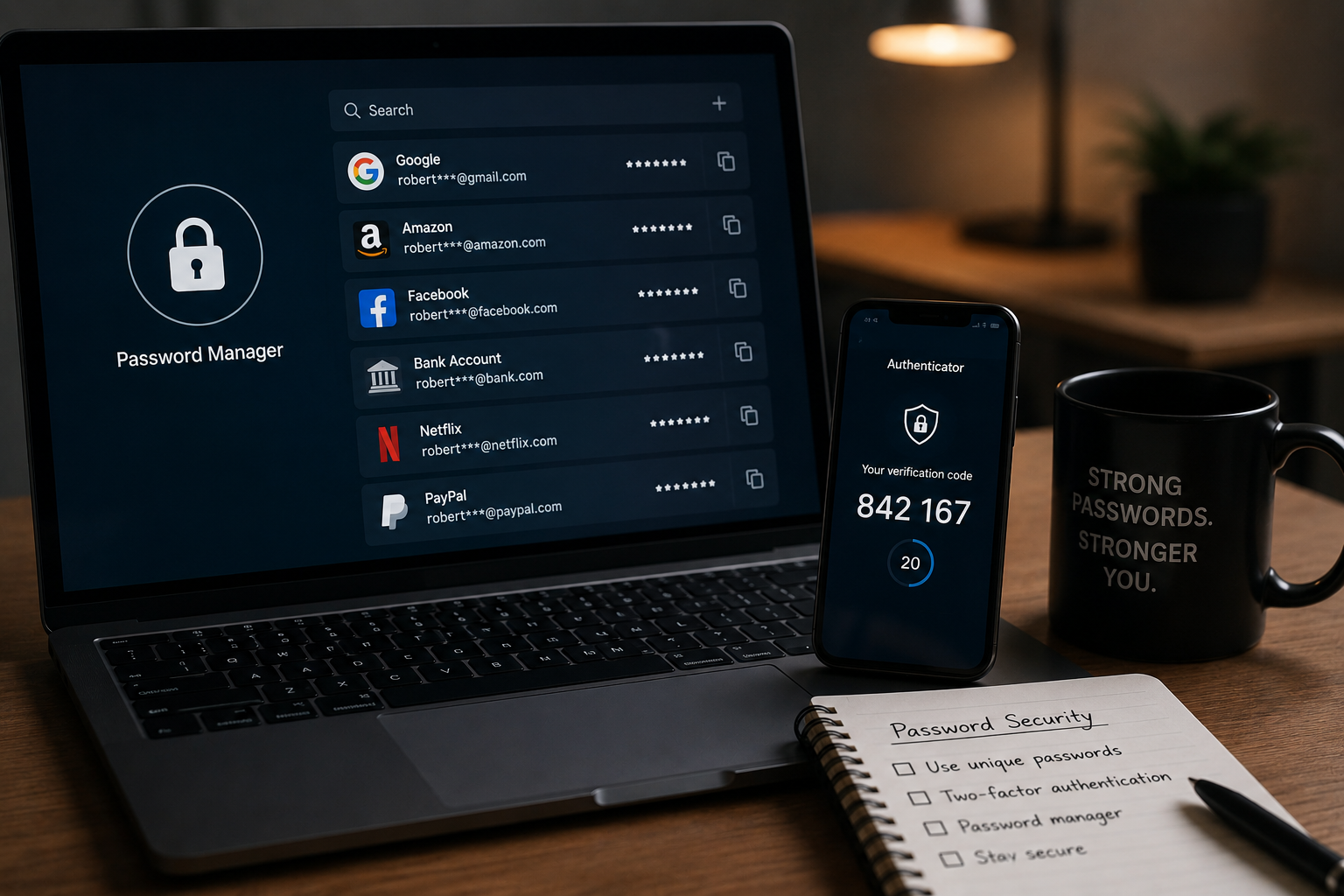
Using a dedicated password manager was a turning point in my security journey. For years, I avoided these types of tools because I thought they were too complicated to set up. I was completely wrong. A password manager is essentially an encrypted digital vault that generates, stores, and automatically fills in all your unique passwords.
After I had set up my password manager, I only had to remember one very strong master password to open the vault. The software did the rest automatically. Every time I created a new account, the manager automatically generated a long string of random characters, such as “xK9#mP2$vL5”, and stored them securely. When I revisited the website, the software automatically filled in the login field.
Transferring old accounts did take me some time. On a rainy Sunday afternoon, I spent the entire afternoon changing the passwords for my most important portals—email, bank account, and health insurance—to new passwords. In the weeks that followed, whenever I visited less important websites, I could change my password within two minutes. Within a month, I had completely broken the habit of reusing passwords and no longer had to remember new passwords.
How Do You Create a Meaningful Master Password?
Because password managers use a master password to protect your password vault, this password must be very strong. However, it must also be easy to remember. Instead of struggling to remember a long string of random characters, I learnt to use a passphrase.
A passphrase consists of four to five completely random words. The phrase “CoffeeBlanketWindowGuitar”, for example, is very long, and mathematically speaking, it is almost impossible for a machine to crack it using brute force. However, our brains are naturally better at remembering words and images, so it is easy for humans to remember.
I came up with a unique passphrase by looking around a room, randomly selecting four objects, and then placing a number and a symbol between the two words. This is the only password I really need to remember. It makes logging into my account simple and gives me peace of mind, knowing that my account is secure.
Why Two-Factor Authentication Is So Important:
Setting a unique password is certainly a big step forward, but it is not the only security measure you need. As part of my digital security upgrades, I have also enabled two-factor authentication for all my accounts that support it. Two-factor authentication acts as a second security check. The website requires you to log in using a temporary verification code sent to your mobile phone’s email address or generated by an authentication app.
Even if a hacker obtains your unique password, they cannot hack your account without access to the verification code via your mobile device. I recommend using a dedicated authentication app on your phone instead of SMS verification, as SMS messages are sometimes blocked. Setting up two-factor authentication for each account takes less than five minutes, but it has significantly improved my overall security.
Frequently Asked Questions:
Should I trust that my browser stores my passwords?
Browser password managers are better than repeating passwords, but generally, they are not as secure as dedicated, standalone password managers. If your computer lacks security measures, others can easily see the passwords stored in your browser. Any data you wish to enter into a dedicated password manager must first be entered using your master password.
What if I forget my password manager master password?
Good password managers use zero-knowledge encryption, which means they do not know your master password and cannot reset it for you. If you forget your master password, you will no longer have access to your password vault. I strongly recommend writing down your master password and storing it in a bank safe or a fireproof safe.
How often should I change my password?
If you use long, unique, randomly generated passwords for each account, you do not need to change your passwords regularly. You should only change your password if you suspect your account has been hacked or if a specific service provider reports a data breach.
Can password managers be exploited?
Most companies that offer password managers use military-grade encryption to encrypt their servers. No system is absolutely secure. Even if hackers penetrate the company’s systems, they can only steal encrypted data, which appears to be meaningless code at first glance. They cannot read your actual password. Without your master password, they also cannot decrypt your actual password.

Robert Jones is the founder and primary contributor at ClarityTechHub. He focuses on researching modern technologies, digital systems, cybersecurity, and sustainable innovation, presenting complex topics in a clear and structured way. His work emphasizes accuracy, neutrality, and accessibility, without offering advice or recommendations. All content is strictly informational and educational, designed to help readers better understand how technology functions in real-world environments.