
Published: July 11, 2026 | Last Updated: June 2, 2026
Moving to a new phone or computer often begins with one obvious question: how can everything be transferred as quickly as possible? But the amount of time spent on a device migration is not determined only by the transfer method. It is also affected by what you choose to move. An old device can accumulate years of screenshots, duplicate photos, forgotten downloads, outdated documents, unused applications, installation files, temporary folders, and projects that no longer matter. When all of this is transferred without review, the migration process becomes slower, and the new device starts its life carrying the same clutter as the old one.
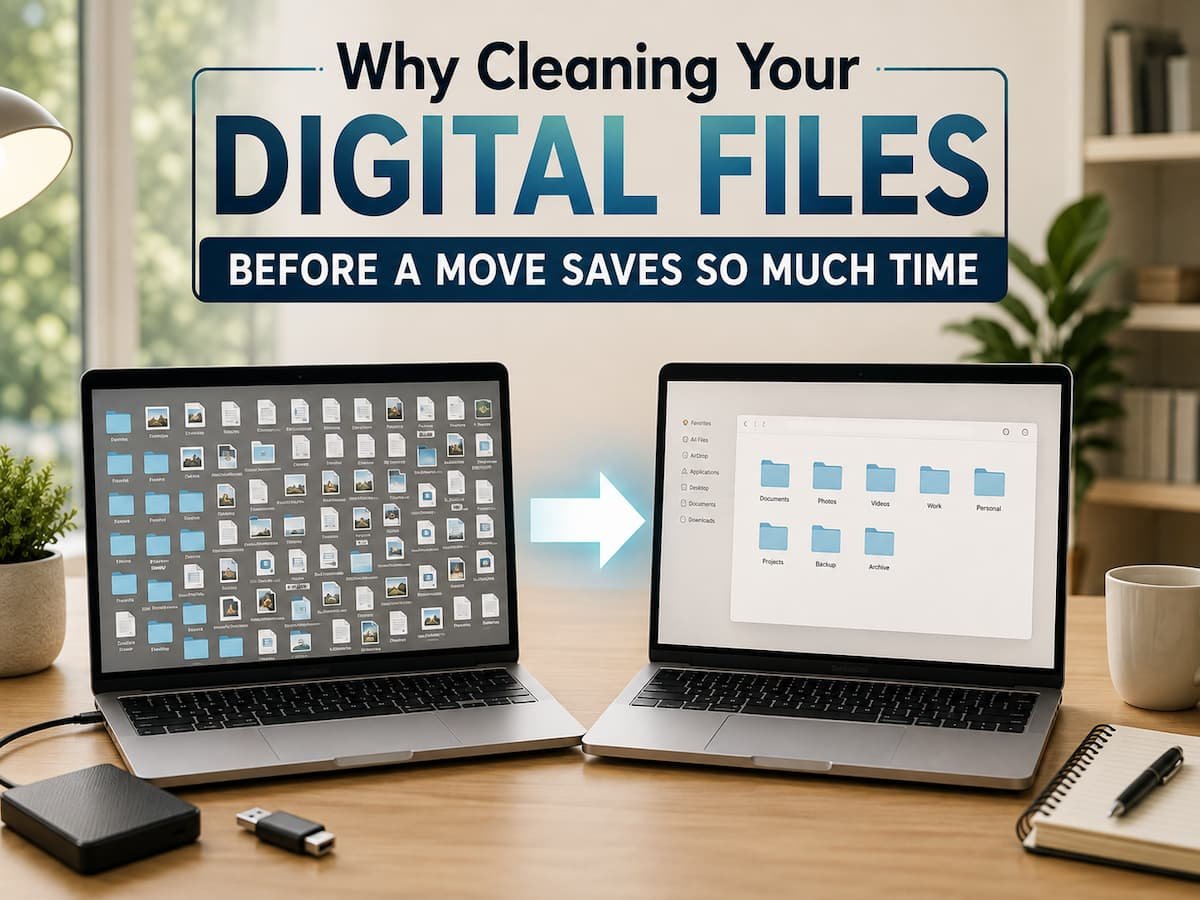
Cleaning your digital files before a move changes the process completely. Instead of transferring everything and sorting it out later, you decide what deserves a place on the new device before the migration begins. This does not mean deleting large amounts of information without thinking. The goal is to separate important files from unnecessary clutter, identify information that should be archived, and make sure valuable data is safely stored before the old device is retired. A little preparation can reduce transfer time, make verification easier, and help the new device begin as a more organized version of your digital life rather than an exact copy of years of accumulated disorder.
Every Unnecessary File Becomes Part of the Migration
A migration system generally cannot know whether a file matters to you. If the file is included in the selected backup, transfer folder, or migration process, it may be copied along with everything else. This means that unnecessary data has a cost.
A large collection of forgotten videos, duplicate downloads, outdated project folders, and files you no longer need can increase the amount of information that has to be copied, uploaded, downloaded, or synchronized. Depending on the transfer method, that can mean waiting longer for a direct device transfer, using more cloud storage, or spending additional time checking whether everything arrived correctly.
The problem does not end when the migration finishes. Those same files can make the new device harder to organize. You may open the Downloads folder and find years of installers and duplicate documents. Your photo library may contain thousands of screenshots that were useful for a few minutes but have no long-term value.
Cleaning before the move gives you a chance to ask a simple question: if this file were not already on my old device, would I deliberately choose to bring it to the new one? That question does not require you to become a digital minimalist. It simply helps prevent automatic transfers from making decisions that should belong to you.
A Cleaner File Collection Is Easier to Verify
One of the most overlooked parts of a device migration is verification. After moving a large collection of files, you need to know whether the important information actually arrived. That task becomes much harder when essential documents are buried among thousands of files that you no longer use.
Imagine transferring an old computer containing several years of work. If every folder, temporary file, duplicate copy, and outdated project is moved without review, checking the new computer can become overwhelming. You may know that the transfer is completed, but you still have to search through a huge collection to confirm that your current work and important records are present.
A smaller and better-organized collection is easier to inspect. You can identify the folders that matter, confirm that they opened correctly, and compare the important files on both devices. This does not mean every old file has to be deleted. Some information may be valuable as an archive even if you do not need immediate access to it.
The useful distinction is between active files and archived files. Active files belong in the new working environment because you still use them. Archived files can be stored separately so they remain available without creating unnecessary clutter on the new device. This approach makes migration verification more focused and reduces the chance that an important missing file goes unnoticed.
Old Downloads Are Often the Biggest Source of Digital Clutter
The Downloads folder can quietly become one of the most disorganized locations on a device. Files are often saved there temporarily and then forgotten. You may find old software installers, duplicate documents, images downloaded for one-time use, compressed archives, outdated versions of files, and attachments that were already saved somewhere else. When preparing for a migration, the Downloads folder deserves individual attention.
Do not assume everything inside it is disposable. Important documents can easily end up there and remain forgotten for months or years. Instead, review the contents and move anything worth keeping into a more meaningful location.
A useful result might be simple. Important files are moved into clearly named folders, while outdated or unnecessary downloads are removed. This has a second benefit: the new device starts with a more logical structure. Instead of transferring a messy Downloads folder and promising to organize it later, you begin with a folder that contains only recent and relevant items. That makes future maintenance easier because you are not starting with an existing backlog.
Duplicate Files Create More Work Than You Expect
Duplicates can be surprisingly difficult to notice during a migration. A file may exist in multiple folders under slightly different names. A photo may have been copied to an editing folder, a messaging application, and a cloud service. A document may exist as several versions because copies were created instead of updating the original.
Not every duplicate should automatically be deleted. Multiple copies can sometimes serve different purposes, and similarly named files are not always identical. The goal is to review obvious duplication rather than aggressively removing files based only on their names. Look for situations where several copies clearly represent the same item and where keeping all of them provides no practical benefit. This can be especially useful with large media files and repeated downloads because a small number of unnecessary large files can occupy a significant amount of storage.
Organizing duplicates before migration also reduces future confusion. If three versions of the same document are transferred to a new computer, you may eventually forget which one was the final version. Cleaning provides an opportunity to identify the version you actually need and archive or remove the rest. The benefit is not simply saving storage space. It is reducing the number of decisions you will need to make later.
Screenshots and Temporary Media Can Quietly Expand Your Transfer
Modern devices make it extremely easy to capture information. A screenshot can preserve an address, conversation, product, error message, confirmation, or piece of information in seconds. The problem is that many screenshots were never intended to become permanent records. Over time, these temporary images can become part of a large photo library. Before moving to a new device, review screenshots and other temporary media separately from important photos. You may find images that have already served their purpose, duplicate images created during editing, or media saved automatically by applications. The same idea applies to downloaded videos, screen recordings, voice recordings, and temporary files.
There is no need to review every item in a massive collection one by one if that would take an unreasonable amount of time. Start with the locations most likely to contain unnecessary material. Screenshots, downloads, recently deleted items, and large files often provide a useful starting point. The objective is to remove obvious clutter, not create a new full-time project. Even a modest cleanup can reduce the amount of data being transferred and make the new device easier to navigate.
Organizing Before the Move Helps You Find Important Files Later
Digital organization is most useful when it supports future decisions. A migration creates a natural opportunity to improve file structure because you are already reviewing where information belongs. Instead of moving documents into the same confusing collection of folders, you can create a simpler structure before or during the transfer.
For example, personal documents, work files, photos, financial records, and long-term archives can be separated according to how you actually use them. The structure does not need to be complicated.
In fact, an overly detailed folder system can become difficult to maintain. A small number of clearly named top-level folders is often easier to understand than a deep collection of categories and subcategories. The important thing is consistency.
If important documents always have an obvious home, you spend less time searching for them. If old projects are clearly separated from current work, you are less likely to accidentally modify an outdated version. This is why cleaning before a migration can save time long after the transfer is finished. The work is not just about reducing the number of gigabytes. It is about creating a digital environment where information can be found more easily.
Separate Archiving From Deleting
One reason people avoid cleaning before a migration is fear. A file may look unimportant today but become useful later. That concern is reasonable, particularly when dealing with personal records, work projects, photographs, or files that would be difficult to recreate.
Fortunately, cleaning does not have to mean permanent deletion. An archive can provide a middle ground. Files that are no longer needed on the new device can be placed in a separate, clearly identified location. Depending on your needs, that archive might be stored on an external drive or another storage system you can access later. This approach allows the active environment to remain clean without forcing an immediate decision about every old file.
For example, a completed project from several years ago may no longer need to sit beside current work, but you may still want to keep it for reference. Moving it to an archive keeps it available without adding unnecessary complexity to your everyday folders. Before deleting anything important, make sure you understand whether another copy exists and whether you may need the information later. Cleaning should reduce confusion, not create new data-loss risks.
Review Large Files Before They Slow Down the Transfer
Large files can have an outsized effect on a migration. A handful of high-resolution videos, old virtual machine files, large archives, offline media libraries, or software installation packages may account for a substantial part of the data stored on a device. This does not mean large files should automatically be removed. Some may be among your most valuable information. Instead, review them deliberately.
Ask whether each large file needs to be immediately available on the new device, whether it can be archived, or whether another accessible copy already exists. A completed video project, for example, may be worth preserving but may not need to occupy working storage on a new laptop. This review can also reveal forgotten files consuming storage for no useful reason.
Cleaning large files before a move can make the transfer more manageable, particularly when the new device has less available storage or when cloud synchronization is involved. The key is making intentional decisions rather than discovering a storage problem halfway through the migration.
Do Not Turn Digital Cleaning Into an Endless Project
There is a point where organizing stops saving time and starts consuming it. You do not need to review every file created over the last decade before moving to a new device. Trying to build a perfect digital filing system can delay the migration and create unnecessary frustration. A practical cleanup focuses on the areas most likely to create problems.
Start with obvious clutter. Review the Downloads folder, temporary media, duplicate files, large files, and applications you no longer use. Then focus on the folders containing your most important active information. This approach follows a simple principle: address the files that create the most confusion or consume the most unnecessary storage first. You can always continue organizing later.
The migration itself should not become impossible because you are trying to make every folder perfect before moving anything. The objective is to create enough order that the transfer is faster, easier to verify, and more useful after it is complete.
A Simple Pre-Move File Cleanup Can Prevent Hours of Work Later
Before starting a migration, a short review can make the entire process more manageable.
A practical checklist might include:
- Identify the files and folders you actively use
- Check whether important data already exists in cloud storage or another backup
- Review the Downloads folder for forgotten files
- Remove obvious temporary files and unnecessary duplicates
- Review screenshots and other temporary media
- Identify unusually large files
- Separate current files from long-term archives
- Confirm that important information has another accessible copy
- Keep the old device available until the transfer is verified
This process does not need to take days. Even a focused review can reduce the amount of unnecessary data being moved and make the new device easier to manage from the beginning.
Cleaning Before the Move Is Really About Reducing Future Work
The biggest advantage of cleaning your digital files before a move is not simply that the transfer may involve less data. The real benefit is that you make important decisions once instead of repeatedly making them after the migration. Without preparation, you may spend time waiting for unnecessary files to transfer, searching through clutter to find important documents, deleting old material from the new device, and trying to remember which version of a file you actually need.
A small cleanup moves those decisions earlier, when the old device is still available and you can compare information safely. The result is a smoother transition and a cleaner starting point. You do not need a perfectly organized digital life before changing devices. You simply need enough clarity to know what matters, what can be archived, and what no longer deserves to follow you.
Conclusion
Cleaning your digital files before moving to a new phone or computer can save time at every stage of the migration. It reduces unnecessary data, makes important files easier to verify, prevents old clutter from immediately appearing on the new device, and gives you an opportunity to create a simpler working environment.
The goal is not to delete everything or organize every file perfectly. A practical cleanup focuses on obvious clutter, forgotten downloads, unnecessary duplicates, temporary media, large files, and information that no longer needs to remain in your active folders.
Separate what you use from what you want to archive, confirm that important files are safely accessible, and keep the old device available until the migration is complete. A new device offers a rare opportunity to make a fresh start without losing your history. Cleaning first helps you take only what you need and spend less time sorting through everything you do not.
ClarityTechHub Editorial Team publishes practical technology guides covering device compatibility, accessibility, home technology, maintenance, and technology setup. Our articles focus on explaining everyday technology problems clearly, comparing practical solutions, and helping readers make informed decisions about the devices and systems they use.