
Published: July 19, 2026 | Last Updated: June 2, 2026
Most people own far more things than they can accurately remember. Furniture, electronics, tools, clothing, appliances, documents, hobby equipment, collectibles, and items stored in drawers or boxes can slowly accumulate over the years. You may know what you own in a general sense, but remembering exactly what is inside a particular cabinet, storage box, or room becomes much harder when you actually need that information.
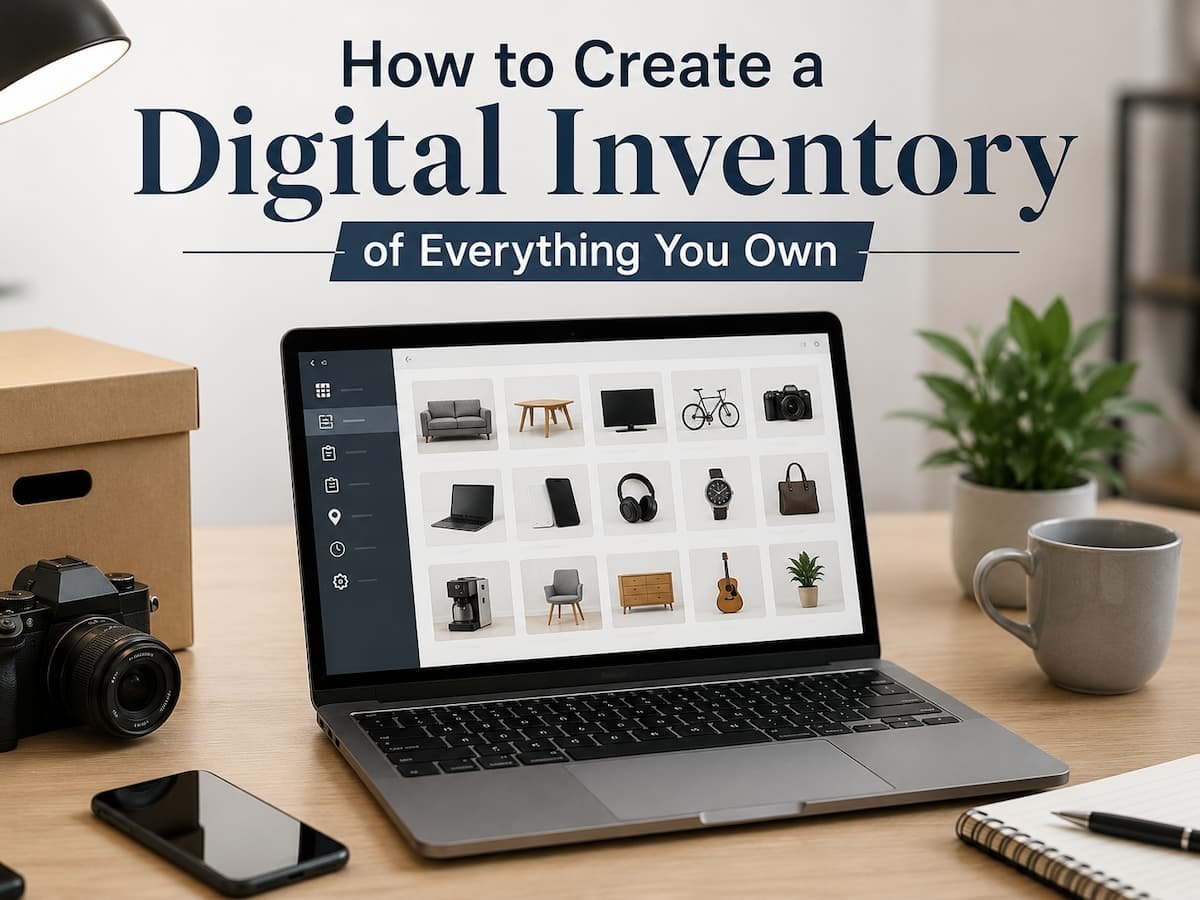
A digital inventory creates a searchable record of your belongings. It can be as simple as a spreadsheet with photographs or as detailed as a dedicated inventory system. The best approach depends on what you want the inventory to help you do. You might want to reduce clutter, keep track of valuable possessions, remember where stored items are located, prepare for a move, or simply create a better overview of what you already own.
The important point is that a digital inventory should save time rather than become another complicated project to maintain. You do not need to record every inexpensive object in your home with the same level of detail. A useful inventory focuses on information you are likely to need later and organizes it in a way that makes searching simple.
Decide What Your Inventory Is Actually For
Before photographing every room or opening every drawer, decide why you want to create the inventory. The purpose will determine how much information is worth recording. Someone preparing for a move may mainly need a room-by-room list that helps track boxes and larger belongings. Someone trying to organize a household may want to know what they have stored in different locations. A person managing expensive equipment may need model numbers, serial numbers, purchase details, and copies of relevant documents.
These are different goals, and trying to build one enormous system that covers every possible use can make the process unnecessarily difficult. Start by identifying the main questions you want the inventory to answer. You might want to know what you own, where a particular item is located, how many similar items you already have, or which belongings would be difficult to replace.
Once the purpose is clear, you can decide what details deserve to be recorded. This prevents a common mistake: spending hours entering information that you will never search for again. A useful inventory is not necessarily the most detailed one. It is the one that gives you the information you need when you need it.
Choose a Simple Digital Format You Will Actually Maintain
The technology behind your inventory matters less than whether you will continue using it. A spreadsheet is often enough for many households. You can create columns for the item name, category, location, description, and any other information that matters to you. Photos and supporting documents can be stored in organized folders and referenced from the inventory.
A notes application can work for a simpler room-by-room system. You could create one note for each room and include descriptions and photographs of important belongings. A dedicated inventory application may provide additional features, but more features do not automatically improve the system. Choose a format based on how you prefer to search and update information.
If you already use cloud storage and spreadsheets regularly, adding another specialized application may create unnecessary complexity. If you dislike spreadsheets, you may find that forcing yourself to maintain one causes the inventory to become outdated. The system should also be accessible from the devices you normally use. An inventory that can only be opened on one old computer may not be helpful when you are away from home or preparing for a move. Simplicity is often the best protection against an abandoned inventory.
Start With Categories Instead of Individual Objects
Trying to record every possession in random order can quickly become overwhelming. A better approach is to divide your belongings into broad categories or locations before listing individual items. You might begin with rooms, such as the living room, bedroom, kitchen, office, or garage. Another option is to organize by category, including electronics, furniture, tools, clothing, documents, or hobby equipment. There is no universal system that works for everyone.
A room-based inventory can be easier when you want to know what is physically located in a particular part of the home. A category-based inventory may be more useful when similar items are in multiple rooms. You can also combine the two without complicating the system. For example, your inventory could have one main category for electronics and another field showing the item’s location. The goal is to make information easy to find.
If you need to locate a particular camera, you should be able to search the inventory rather than trying to remember whether it was listed under “office,” “storage,” or “photography.” Choose categories that make sense to you rather than copying a system designed for someone else’s home.
Record the Details That Would Actually Help You Later
Not every item needs the same amount of information. For ordinary household objects, a simple description and location may be enough. For more expensive or important belongings, you may want to record additional details such as the brand, model, serial number, approximate purchase date, or other identifying information.
A practical inventory might include the following information:
| Information | Why It Can Be Useful |
|---|---|
| Item name | Makes searching easier |
| Category | Groups similar belongings |
| Location | Shows where the item is stored |
| Description | Helps distinguish similar items |
| Photograph | Provides visual identification |
| Brand or model | Useful for identifying specific equipment |
| Serial number | Can help identify certain electronics or equipment |
| Purchase information | Useful for personal records when available |
| Notes | Stores relevant details that do not fit other fields |
You do not need to fill out every field for every possession. For example, recording a serial number for a small household item may add work without providing much value. On the other hand, the model and identifying details of a computer, camera, appliance, or other significant item may be worth documenting. The level of detail should match the importance of the item and the reason you are creating the inventory.
Use Photographs to Reduce the Amount of Writing
Photos can make a digital inventory much faster to create. A clear photograph can immediately show the appearance and condition of a piece of furniture or electronic device, eliminating the need for a long written description. For collections of smaller items, one photograph may document several related objects at once. When you take pictures, aim for usefulness instead of perfection.
You do not need professionally styled images. A clear photograph taken in normal lighting is usually enough. For items with identifying labels, model information, or serial numbers, an additional close-up photograph can be useful if you need that information later. Wide photographs can also help document an entire shelf, cabinet, or storage area. This can be more efficient than creating separate entries for every inexpensive object.
For example, instead of entering every individual book stored on a shelf, you might photograph the collection and create a general record if your purpose is simply to remember what you own. hotos are especially useful because they can provide context that written notes may miss. A picture can show the size, color, condition, accessories, and surrounding items without requiring you to describe each detail separately.
Create a Location System for Stored Items
An inventory becomes far more useful when it answers not only what you own but also where it is. This is particularly important for belongings stored in boxes, closets, garages, attics, storage rooms, or other areas where items can disappear from daily view. You do not need an elaborate coding system to keep track of locations. Simple labels can work well.
For example, you might identify a location as “Garage – Shelf 2” or “Storage Room – Blue Box 4.” The important thing is consistency. If the physical storage changes, update the inventory rather than relying on memory. For boxes containing many smaller items, consider giving the box a unique name or number and recording a general description of its contents. A photograph of the open box can provide additional information without requiring a detailed list of every object.
This method is especially helpful before moving. When boxes are packed, the inventory can help you remember what was placed inside each one and where it was originally located. A location system turns the inventory into a practical search tool rather than just a list of possessions.
Do Not Forget Documents and Digital Records
Your physical belongings may have associated digital information that is worth keeping with the inventory. Receipts, manuals, warranties, photographs, invoices, and other documents can provide useful context for certain items. Rather than storing these files randomly, create a consistent folder structure and connect the documents to the relevant inventory entry.
For example, an electronics folder might contain manuals and purchase records for computers, monitors, cameras, or other equipment. The inventory can then indicate where those supporting files are stored. Be selective about what you include.
Saving every piece of paperwork can create the same clutter problem in digital form. Focus on documents that are useful for identifying, maintaining, or managing important possessions. If you store sensitive personal documents digitally, consider the security of the storage system. Use appropriate account protection and avoid unnecessarily sharing files that contain personal or identifying information. The goal is to make useful records easier to locate without creating a second collection of disorganized files.
Build the Inventory in Small Sessions
Creating a record of everything you own can sound like a weekend-long project, but it does not need to be completed all at once. Trying to inventory an entire home in a single session can lead to rushed descriptions, inconsistent categories, and a system you never want to update again. Instead, divide the process into manageable areas.
You might begin with one room, one storage area, or one category of belongings. Complete that section before moving to another. Start with areas where information is likely to be most useful. Electronics, valuable equipment, important documents, storage boxes, and items that are frequently misplaced may be better starting points than inexpensive everyday objects.
This gradual approach also allows you to improve the system as you go. After completing one area, you may realize that a particular category is unnecessary or that another piece of information would be useful. It is easier to adjust the structure early than after recording hundreds of entries. Progress matters more than completeness. An inventory covering your most important possessions is already more useful than a perfect system that never gets finished.
Keep the Inventory Separate From Your Memory
One of the main reasons to create a digital inventory is to reduce the need to remember everything yourself. That means the information should be understandable even after several months have passed. Avoid vague descriptions that only make sense when you are currently looking at the item. Instead of writing “old box” or “extra cable,” add enough context to make the entry useful later.
For example, “USB and display cables – storage room, Box 3” provides much more useful information than simply “cables.” The same principle applies to photographs and folder names. A folder named “new stuff” may make sense today but become meaningless later. Clear names and simple descriptions reduce future searching.
Think of the inventory as a message to your future self. If you needed to find a specific item quickly after a move, a renovation, or several months without seeing it, would the inventory give you enough information to locate it? If the answer is yes, the system is doing its job.
Update the Inventory When Something Meaningful Changes
A digital inventory does not need constant maintenance. Trying to update it every time you buy a small household item would probably make the system too demanding. Instead, focus on meaningful changes. Update the inventory when you purchase an important item, sell or give away something valuable, move belongings to a new location, or reorganize a major storage area.
You can also review the inventory occasionally when preparing for a move or completing a larger household organization project. The goal is to prevent the inventory from becoming outdated without turning maintenance into a chore. A simple system that is updated occasionally is generally more useful than a highly detailed system that becomes obsolete after a few months.
If you use cloud-based storage, make sure you can still access the inventory and supporting records when you need them. It can also be sensible to keep an additional backup of important records where appropriate.
Your Inventory Does Not Need to Be Perfect to Be Useful
Many people delay creating a digital inventory because the idea of documenting everything feels too large. But usefulness does not require perfection. You can begin with the things that would be hardest to remember, locate, or replace. Then expand gradually if the system proves useful. Perhaps your first version includes only electronics, furniture, important equipment, and storage boxes. Later, you may add collections, tools, appliances, or other categories.
The inventory can grow with your needs. The important thing is to create a system that you understand and can maintain. Avoid copying a complicated template simply because it appears more professional. A simple searchable record with clear photographs and useful locations can be more valuable than a highly detailed database filled with information you never use.
Conclusion
Creating a digital inventory of everything you own is not about documenting every object with extreme detail. It is about building a reliable record that helps you understand what you have, where it is, and which items are important to track.
Start by deciding what you want the inventory to accomplish. Choose a simple format, organize belongings into categories or locations, and record only the details that are likely to be useful later. Use photographs to save time, create clear labels for storage areas, and keep important supporting documents organized with the relevant items.
Most importantly, build the inventory gradually. You do not need to complete the entire home in one day. Begin with the belongings and locations where a record would provide the most value, then expand over time. A practical digital inventory replaces the unreliable question of “Where did I put that?” with a searchable record that can help you find, organize, move, and manage the things you already own.
FAQs
1. What is a digital inventory?
A digital inventory is an electronic record of your belongings. It can include item names, descriptions, photographs, locations, identifying details, and supporting documents such as manuals or receipts.
2. What is the easiest way to create a digital home inventory?
For many people, a spreadsheet or notes application is enough. Start with broad categories or rooms, add the most important items first, and include photographs where they provide useful information.
3. Do I need to list every single item I own?
No. The level of detail should match your purpose. You may want detailed records for important or valuable possessions while using photographs or general descriptions for groups of inexpensive everyday items.
4. Should I include serial numbers in my inventory?
Serial numbers can be useful for certain electronics, equipment, and other identifiable items. They are usually unnecessary for ordinary household objects that lack the need for individual identification.
5. How do I keep track of items stored in boxes?
Assign each box a clear name or number and record its location and general contents. Photographing the contents can provide additional detail without requiring you to list every small item individually.
6. How often should I update a digital inventory?
Update it when meaningful changes occur, such as buying an important item, moving possessions, selling or giving away something significant, or reorganizing a major storage area.
7. Where should I store my digital inventory?
Choose a location that you can access reliably, such as a trusted cloud storage service, spreadsheet platform, or local file with an appropriate backup. If the inventory contains sensitive documents or personal information, use suitable account and file protection.
8. Can a digital inventory help when moving to a new home?
Yes. A digital inventory can help you record what is inside boxes, track important belongings, and remember where items were stored before the move. It can also make unpacking and locating specific possessions easier.

ClarityTechHub Editorial Team publishes practical technology guides covering device compatibility, accessibility, home technology, maintenance, and technology setup. Our articles focus on explaining everyday technology problems clearly, comparing practical solutions, and helping readers make informed decisions about the devices and systems they use.