
Published: July 7, 2026 | Last Updated: June 2, 2026
Your Daily Routine Can Become Visible Through Small Signals
One smart-home event may reveal very little. A single motion detection event tells you that movement occurred at a particular moment. Hundreds or thousands of events collected over time are different. Patterns can emerge even if the device was never specifically designed to describe them.
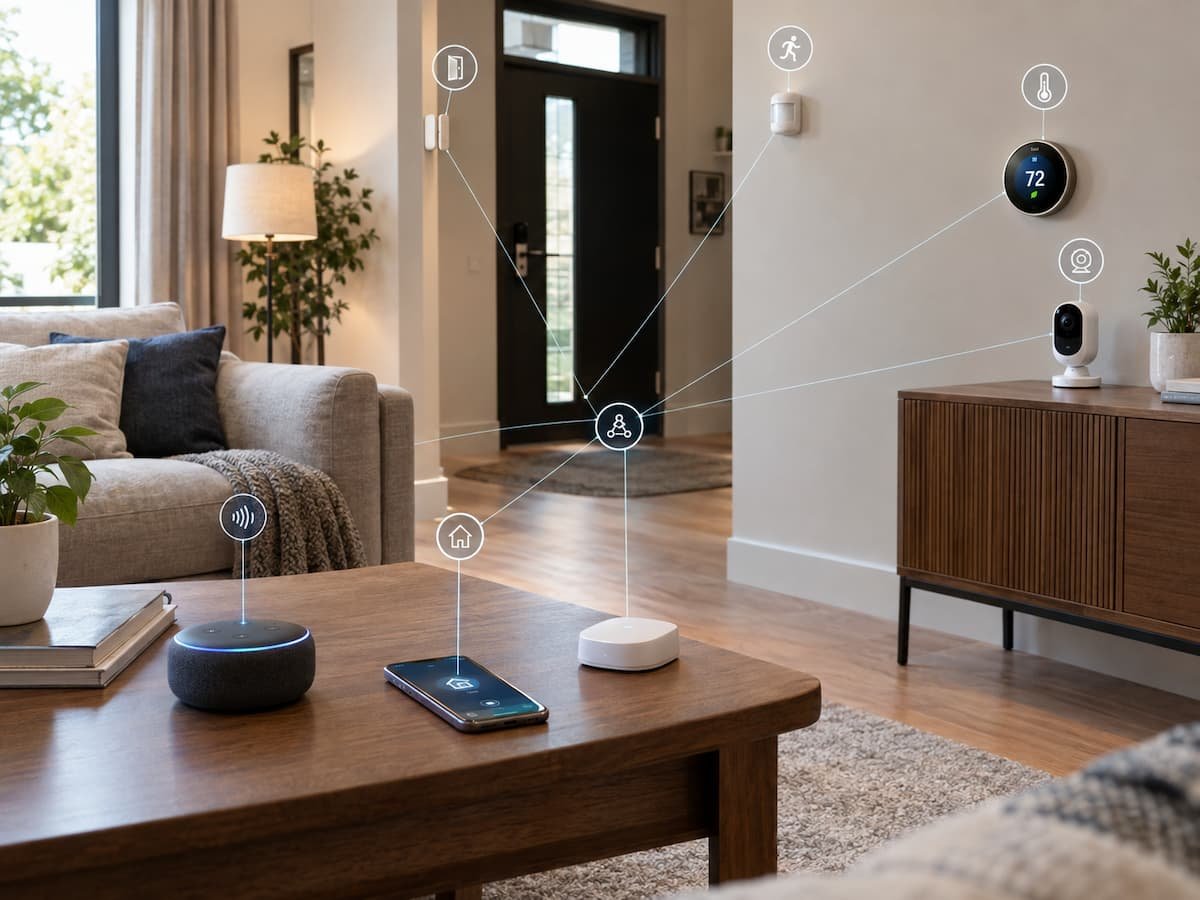
Imagine a home with door sensors, motion detectors, smart lighting, and a connected thermostat. Individually, each device performs a straightforward task. Together, their records may indicate when the home is usually occupied, when people tend to sleep, when someone leaves for work or school, and when the household becomes active again.
The important privacy concept here is inference. A device does not necessarily need to know a fact directly to provide clues about it. Repeated observations can make certain patterns easier to identify. This is why the privacy discussion around smart homes is broader than simply asking whether a device has a camera or microphone. Even sensors that seem harmless can produce meaningful information when their activity is recorded over long periods.
Smart Speakers Can Process More Than Simple Voice Commands
Voice assistants are among the most obvious connected devices from a privacy perspective because they interact with speech. Depending on the product and feature being used, voice recordings or related information may be processed to recognize commands, provide responses, personalize experiences, or improve services.
The exact handling varies by manufacturer and device. Some systems provide settings for reviewing or deleting voice activity, controlling personalization, or changing how recordings are handled. Those settings are worth checking instead of assuming the default configuration matches your preferences.
There is another consideration that is easy to overlook: not every person whose voice is captured is necessarily the account owner. Guests, children, visitors, and other household members can interact with a smart speaker too. A device installed in a shared room therefore creates a privacy consideration for the entire household. If you rarely use voice history or personalized voice features, review whether those functions are necessary. Convenience and data collection often increase together, so using fewer features can sometimes reduce the amount of information associated with the service.
Smart Cameras Can Reveal Activity Inside and Around Your Home
Cameras collect a different category of information because they can capture visual details rather than simply detecting an event. Depending on where a camera is installed, recordings may show people entering or leaving, visitors arriving, packages being delivered, vehicles moving around a property, or activity inside specific rooms.
Camera features can also go beyond basic recording. Some systems offer motion detection, person detection, familiar-face recognition, object recognition, or activity zones. Each additional capability can change what information the system processes and how useful the resulting data may be.
Placement is therefore one of the most important privacy decisions. A camera aimed at an entrance has a different privacy impact from one pointed toward a living room. A camera should have a clear purpose, and its field of view should be limited to what is genuinely necessary for that purpose. It is also worth checking whether recordings are stored locally, on a home network, or through a cloud service. Cloud storage can provide useful remote access and backup features, but it also means that video data may be processed outside the physical home.
Thermostats Can Reveal When a Home Is Occupied
A smart thermostat may appear less sensitive than a camera or microphone because it does not necessarily record conversations or images. Yet temperature changes and heating schedules can still provide clues about household routines. A system that regularly changes temperature during working hours and returns to a preferred setting in the evening can reveal a recurring occupancy pattern. Some thermostats also use sensors, location information, or other signals to determine whether people are home.
That information can be useful. It is the reason a smart thermostat can reduce unnecessary heating or cooling and make a home more comfortable when occupants return. The privacy question is whether the level of data collection required for those features is acceptable to you.
Before enabling location-based or occupancy-based functions, check the manufacturer’s documentation and privacy controls. If a basic schedule meets your needs, you might not need to enable more detailed tracking.
Smart Lights and Plugs Can Reveal Habits Too
Lighting systems and smart plugs usually collect less obviously sensitive information than cameras, but their activity can still tell a story. A smart plug controlling a coffee machine may reveal a regular morning routine. A smart light used every evening can show when a room is active. Several devices working together can make the pattern more detailed.
This does not mean every smart plug is continuously monitoring your lifestyle. The privacy impact depends on what information the product records, where it sends that information, and whether it retains usage history. Some devices may simply execute commands without maintaining a detailed long-term record, while others may provide activity logs through an associated account or cloud service.
When purchasing a connected appliance accessory, check whether usage history is a core feature or merely something bundled into the manufacturer’s app. If you do not need historical statistics, avoid enabling unnecessary monitoring features where the product gives you that choice
Location Data Can Make Smart Home Profiles More Detailed
Location information can make connected-home automation more convenient. A phone’s location may be used to determine whether someone is approaching home, leaving the area, or already away. This can trigger lights, heating, security notifications, or other routines. Location is also highly contextual. A single location event can be meaningful, but repeated location information can reveal regular travel patterns and places visited outside the home.
That is why location permissions deserve the same attention as camera and microphone permissions. If an app only needs location for an occasional setup function, continuous location access may not be necessary. If the app’s core purpose depends on presence detection, continuous access may be more understandable.
Review location permissions at the operating-system level and inside the smart-home application. If you no longer use a location-based automation, you probably don’t need to keep the permission enabled.
The Biggest Privacy Risk May Be the Combination of Devices
One device rarely provides a complete picture. The greater concern can be the combination of several systems. A camera can identify activity at the entrance. A door sensor can record when the door opens. A smart lock can record access events. A thermostat can reveal heating patterns. A phone can provide location information.
When these systems connect, they create a much richer picture of what is happening at home. This is one reason smart-home privacy should be considered at the ecosystem level rather than device by device. Automations can increase this connection. A rule might use a phone’s location, a door sensor, and a smart thermostat to decide whether the home is occupied. The automation may be extremely useful, but it also means several pieces of information are being combined to make a decision.
Before connecting a new device to an existing smart-home system, ask what new information becomes available when the two systems communicate. Interoperability is convenient, but every connection should have a clear purpose.
What Happens to the Data After a Device Collects It?
Collecting information is only the first part of the privacy story. You also need to know what happens afterward. Depending on the product, information may be processed on the device, transmitted to a home hub, stored in an application, or sent to a manufacturer’s cloud service.
Cloud processing can provide useful features such as remote access, synchronization across devices, notifications, backups, and advanced analysis. It also means you are trusting a service provider with information generated by your home.
Privacy policies and product documentation can help answer basic questions about data handli g. Look for information about what is collected, why it is collected, whether it is shared, how long it is retained, and how you can delete or manage it.
The details can differ substantially between manufacturers. Two devices that perform almost identical functions may have very different approaches to data storage and account management.
How to Reduce the Amount of Information Your Smart Home Collects
You do not have to remove every connected device to improve privacy. Often, the most practical approach is to reduce unnecessary collection while keeping the features you actually use.
- Review permissions: Check camera, microphone, location, Bluetooth, and other permissions granted to smart-home applications.
- Disable features you do not use: If you do not need detailed activity history or personalization, look for settings that allow those features to be limited.
- Choose local processing when available: Some products offer local control or processing options that reduce dependence on cloud services.
- Limit camera coverage: Point cameras only toward areas that need monitoring.
- Protect your accounts: Use strong unique passwords and multi-factor authentication where supported.
- Keep devices updated: Firmware and application updates can address security weaknesses and improve device reliability.
- Remove unused devices: A disconnected or forgotten smart device should not remain linked to your accounts indefinitely.
- Review connected services: Remove third-party integrations that you no longer use.
Privacy is easier to maintain when it is treated as an ongoing part of smart-home maintenance rather than a one-time setup decision.
Be Careful With Shared Accounts and Household Access
A connected home often has several people using it. Sharing one account may seem convenient, but it can make it difficult to understand who has access to cameras, locks, recordings, automations, or other sensitive controls.
When a platform supports separate household members or permission levels, use those options where appropriate. Give people the access they actually need rather than automatically giving every account full administrative control.
This becomes particularly important when someone moves out, a houseguest no longer needs access, or a device changes ownership. Old accounts and integrations should be removed rather than left connected indefinitely.Smart-home security is not only about protecting the Wi-Fi network. Account management is also part of the security boundary.
Convenience Should Not Mean Collecting Everything
One of the easiest ways to improve a connected home is to resist the assumption that every available feature needs to be enabled. A smart light does not necessarily need detailed usage analytics. A thermostat may not need location information if a fixed schedule works well. A camera does not need to cover every corner of a property.
The best configuration is often the one that provides the desired result with the least amount of unnecessary information. This is a practical form of data minimization: collect and retain what is needed for a useful function, rather than treating every possible data point as valuable.That approach can also make the smart home easier to manage. Fewer permissions, integrations, notifications, and historical records mean fewer things to review when something changes.
Questions to Ask Before Buying a Connected Device
A few minutes of research can prevent privacy surprises later. Product specifications tell you what the device can do, while privacy documentation can tell you more about what information is involved in making those features work.
- What information does this device collect?
- Does it use a camera, microphone, location data, or activity sensors?
- Is data processed locally or sent to a cloud service?
- How long is activity information retained?
- Can I delete stored information?
- Does the device require an online account?
- Can other people access the device or its history?
- What happens if I stop paying for an optional subscription?
- How long is the manufacturer expected to provide software or security updates?
- Can the device still perform basic functions if the internet connection fails?
You will not always find every answer before purchase. That is a reason to favor manufacturers that provide clear documentation and straightforward privacy controls.
Conclusion
Smart home devices can understand every aspect of a home, going far beyond what their basic functions might reveal. For instance, thermostats can show temperature patterns, sensors can reveal activity schedules, cameras can capture visual information, and location-based automation systems can track when people arrive and leave. However, this evidence does not mean that smart home technology is inherently unsafe or unsuitable. These data streams are often essential for practical automation. The sensible approach is to understand what information each device collects and determine whether the benefits justify the cost.
Start by examining the devices you already own. Check their permissions, privacy settings, account access rights, integration capabilities, storage methods, and software updates. Then, ask the same questions about any devices you plan to purchase. A private smart home does not mean having no connected devices. It means the homeowner understands what data the devices collect, limits unnecessary data collection, and manages the information these devices generate.
FAQs
1. Can smart home devices tell if I am at home?
Some devices can determine whether someone is home based on sensors, device activity, location data, door events, or a combination of these signals. Whether a specific product compromises user privacy depends on the hardware, software, settings, and connected services.
2. Can a smart thermostat reveal my daily routine?
It is possible. Temperature changes, programmable settings, presence detection, and location-based features can expose typical patterns of occupancy in a home. The amount of information collected varies depending on the thermostat and its configuration.
3. Do smart plugs pose a threat to my privacy?
They generate information about device usage, especially if the app stores activity history. A single event might not reveal much, but repeated recordings can show patterns. Check whether the smart plug collects usage history and if this feature can be disabled or removed.
4. Should I be worried that smart devices in my home are constantly listening?
Voice-controlled products differ in how they detect activation commands, process audio, and handle recordings. Consult the manufacturer’s documentation and privacy settings rather than drawing conclusions based solely on the presence of a microphone.
5. Is local processing always better for privacy?
Local processing can reduce the amount of information that needs to leave your home, but privacy depends on the product’s overall design. Account security, device software, data retention, integration, and other factors remain crucial.
6. Should I remove smart devices I no longer use?
Yes. Remove unused devices from your account and smart home platform. If you sell or give away a device, follow the manufacturer’s instructions for resetting it and removing the account so that the next owner cannot access your data.

ClarityTechHub Editorial Team publishes practical technology guides covering device compatibility, accessibility, home technology, maintenance, and technology setup. Our articles focus on explaining everyday technology problems clearly, comparing practical solutions, and helping readers make informed decisions about the devices and systems they use.