
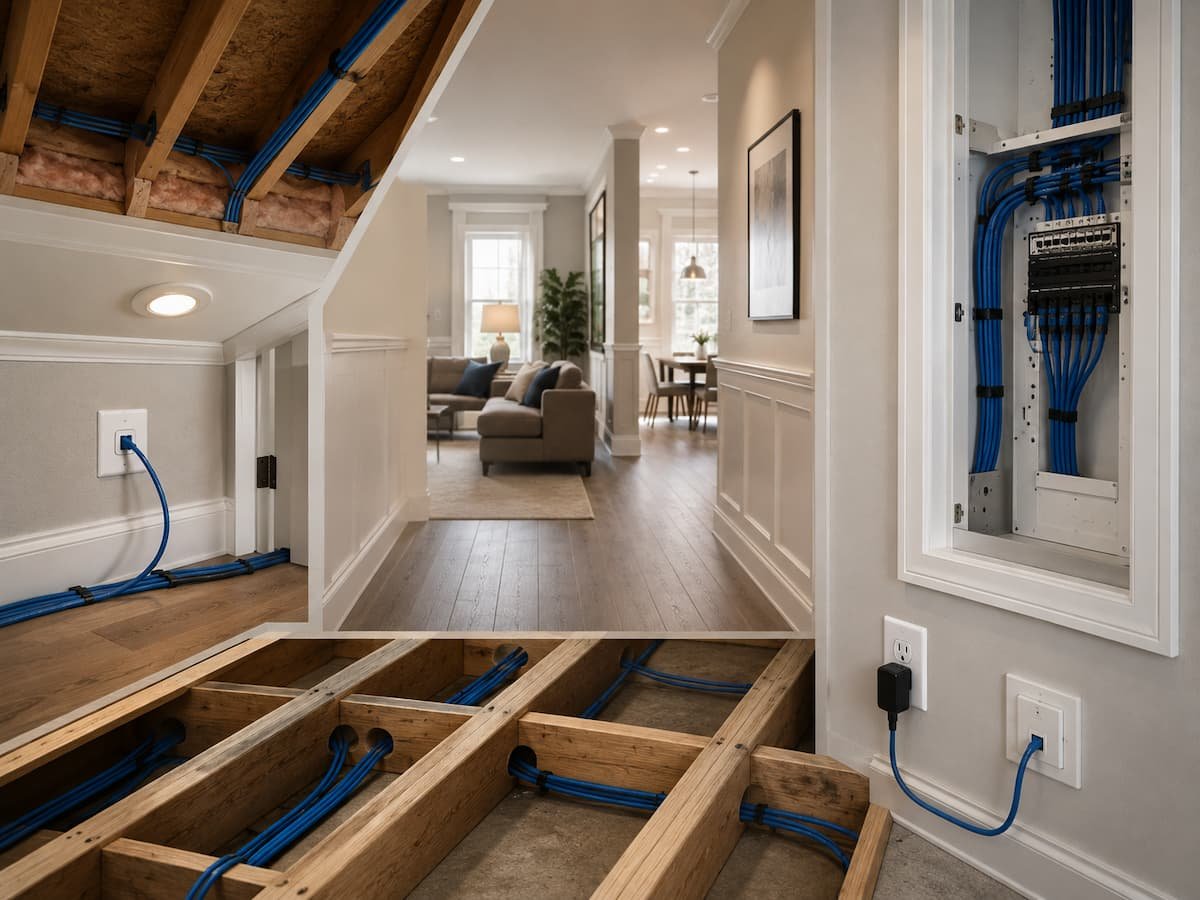
Published: August 9, 2026 | Last Updated: June 2, 2026
Planning principle: Fixed infrastructure should outlast individual devices. Run cables for locations that will remain useful even when the equipment changes.
A practical way to mark your home
Take a floor plan, even if it is a rough drawing. Mark the internet entry point, proposed network equipment, televisions, workspaces, bedrooms, major appliances, outdoor areas, and places where wireless access points may be useful. Then mark the locations where a wired connection would provide a clear advantage over Wi-Fi. This simple map becomes the foundation for the rest of your installation.
Choose a Sensible Central Network Location
Before deciding where individual cables should terminate, decide where they will originate. A structured Ethernet installation normally works best when fixed cable runs return to a central distribution location, such as a small network cabinet, structured media enclosure, or dedicated communications area. From there, the cables can connect to a switch, router, patch panel, or other network equipment.
The ideal location is not necessarily the room where the router currently happens to be sitting. Think about accessibility, ventilation, available power, cable routing, and the path to other parts of the house. If the internet connection enters near one side of the property, that does not automatically make that corner the best place for every piece of networking equipment.
A good central location should be easy enough to reach when you need to troubleshoot equipment, but it does not have to be in a living area. If you place the network cabinet in a hot, damp, cramped, or inaccessible space, you will make future maintenance unnecessarily difficult.
| Central Location Factor | Why It Matters |
|---|---|
| Power | Routers, switches, and other network equipment need reliable power. |
| Ventilation | Networking equipment should not be trapped in an unsuitable hot enclosure. |
| Accessibility | You need to reach equipment for maintenance and troubleshooting. |
| Cable routes | A central position can simplify runs to multiple rooms. |
| Future capacity | Leave space for additional ports, switches, and cable management. |
Home Office and Work Areas
If there is one area where Ethernet deserves serious consideration, it is the home office. A work area may contain a desktop computer, docking station, monitor, printer, VoIP equipment, network storage, and other devices. Even when laptops remain wireless, a wired connection can be useful for a docking station or desktop workstation that stays in one location.
Do not place the Ethernet outlet exactly where today’s desk happens to sit. Consider the entire wall and the possibility that the furniture will change. Two network connections at a useful workstation location can provide more flexibility than a single connection. If the room could eventually support two workstations, gaming equipment, or a wireless access point, additional cabling during construction may be easier than reopening the walls later.
Good locations to consider
- Main desk or workstation wall
- Secondary desk location
- Printer or shared equipment area
- Location for a local network storage device
- Possible future Wi-Fi access point
For an existing home, you may not need to wire every small device. Prioritize the equipment that remains stationary and benefits most from predictable connectivity.
Television and Entertainment Areas
Television walls are another strong candidate for Ethernet because one screen often becomes a hub for several network-connected devices. A television may sit alongside a streaming box, game console, sound system, media player, or another network-capable device. Connecting the entertainment area to Ethernet can reduce the amount of high-bandwidth traffic that depends on Wi-Fi.
Think beyond the television itself. If a game console or streaming box will remain nearby, it may be more convenient to connect those devices through a small Ethernet switch at the entertainment center than to install a separate wall connection for each device.
Think in clusters
A group of devices located together can often share one properly planned Ethernet connection through a suitable network switch. This keeps the wall cleaner while still providing wired connectivity to several devices.
If you are building a new home, consider more than one Ethernet connection behind or near a television. Furniture layouts change, and today’s television wall may become tomorrow’s media center, workstation, or gaming area.
Ceilings and Locations for Wi-Fi Access Points
One of the most valuable uses of Ethernet cabling is connecting Wi-Fi access points. It may sound strange to use a cable for wireless networking, but a wired connection provides the access point with a strong connection back to the network. This arrangement is often preferable to placing additional wireless equipment where it can only repeat or relay an already weak signal.
In a new home, consider Ethernet runs to ceiling locations or other strategically positioned points where access points can be installed. The exact locations depend on the building’s size, construction materials, layout, and network design. Leviton recommends planning cable infrastructure for wireless access points and notes that structured cabling can support current and future wireless networking requirements.
Do not assume that every room needs an access point. The goal is to provide adequate coverage rather than install as many wireless transmitters as possible. A network professional can help determine suitable locations in a large or complicated home.
Security Cameras, Doorbells, and Outdoor Areas
Security equipment deserves special attention because you should choose its location based on what you need to monitor rather than where convenient wiring happens to exist. A camera may need to sit near a driveway, side entrance, backyard, garage, or other exterior location. Running Ethernet to these areas can be useful for both network connectivity and, with compatible equipment, for Power over Ethernet (PoE).
PoE allows compatible network equipment to receive power and data through Ethernet infrastructure. This can simplify installations because a camera or access point may not need a separate nearby electrical outlet. However, PoE requirements depend on the equipment, cable installation, and network hardware, so confirm compatibility before designing the system.
Outdoor runs require additional care. Cable selected for indoor use should not simply be assumed suitable for every exterior installation. Moisture, sunlight, temperature changes, physical damage, and local installation requirements all matter. If a cable must pass through an exterior wall, the penetration should also be properly protected.
Useful exterior cable locations
- Front-door or entrance camera
- Driveway camera
- Rear-yard camera
- Garage entrance
- Outdoor Wi-Fi access point
- Future exterior networking equipment
Bedrooms and Flexible Rooms
Bedrooms are sometimes overlooked because phones and laptops already work over Wi-Fi. That may be perfectly reasonable for many rooms, but a bedroom can change purpose over time. A child’s room may eventually become a study. A guest room may become a permanent office. A spare room could become a gaming room or media space.
For that reason, wiring at least some flexible rooms can be worthwhile in a new build. You do not necessarily need a large number of outlets. One or two strategically placed connections can provide useful flexibility without turning the room into a network closet.
Pay particular attention to rooms that could become offices. A wired connection can be useful for a desktop computer, access point, printer, or other stationary equipment. Planning for future use is one of the main advantages of installing structured cabling before the walls are finished.
Kitchen, Utility, and Smart-Home Areas
Kitchens and utility rooms are becoming more connected, but that does not mean every appliance needs its own Ethernet cable. Most household devices in these areas can use wireless connections when the manufacturer supports them. The more useful question is whether a particular location could eventually benefit from a fixed network connection.
A kitchen may contain a wall-mounted display, media device, or future smart-home controller. A utility room might contain networking equipment, a local server, or another fixed system. The infrastructure should support realistic future needs without creating unnecessary cabling.
Environmental conditions are particularly important here. Kitchens contain heat, moisture, appliances, and changing furniture arrangements. Utility areas may have pipes, electrical equipment, and limited wall space. Ethernet should be routed in a way that respects the building’s electrical, mechanical, and safety requirements. Network cabling is low-voltage infrastructure, but its installation still needs to respect electrical wiring, building construction, fire barriers, and local codes. Do not route network cable carelessly through spaces where it could interfere with electrical systems or building safety.
Garage, Basement, Attic, and Detached Spaces
Secondary areas of a property can be some of the most useful places to install Ethernet because wireless coverage is often harder to maintain there. A basement may contain a home office, entertainment equipment, network storage, or a utility system. A garage may eventually need a camera, access point, computer, or other connected equipment.
Attics require particular care because of heat and accessibility. Do not treat an attic as an easy cable storage area without considering temperature, insulation, ventilation, and the appropriate cable rating. The same principle applies to crawl spaces and other difficult environments.
Detached buildings require even more planning. A separate garage, workshop, or office may need a dedicated network connection, but the appropriate solution depends on distance, electrical arrangements, environmental conditions, and the building’s construction. In some situations, fiber or a professionally designed wireless bridge may make more sense than a long copper Ethernet run. Standard Ethernet copper channels are commonly designed around a 100-meter maximum channel length. Specialized solutions can extend beyond that, but they involve additional design considerations and should not be treated as a simple extension of ordinary residential cabling.
Planning Ethernet in a New Home
New construction gives you the biggest advantage: access to the walls and ceilings before they are finished. This is the time to think about infrastructure rather than individual gadgets. Create a complete floor plan and mark every location that may need network connectivity. Then walk through the house physically and imagine how people will use each room.
Leviton’s residential installation guidance recommends planning cable routes and device locations from a floor plan, accounting for future expansion, changes in room use, and multiple network connections around the modem/router location.
A better new-build strategy
- Choose the central network distribution location.
- Mark the home-office and workstation areas.
- Mark television and entertainment walls.
- Plan wired locations for Wi-Fi access points.
- Identify camera and outdoor equipment locations.
- Consider flexible bedrooms and future office spaces.
- Plan garage, basement, attic, and detached-building connections.
- Leave capacity for future expansion.
- Label every cable during installation.
- Test each completed run before walls are closed.
Running an additional cable during construction is often much easier than trying to recreate the same path later. That does not mean installing cables everywhere without a plan. It means identifying strategically useful locations while access is available.
Running Ethernet in an Existing Home
Retrofitting Ethernet is more challenging because walls, floors, insulation, finished ceilings, and furniture are already in place. However, existing homes can still be wired successfully. The trick is to work with the structure rather than trying to force a cable through the most difficult possible route.
Basements, attics, closets, unfinished utility spaces, and accessible crawl spaces can provide useful pathways. In some homes, a cable can travel vertically through an accessible wall cavity and then branch toward nearby rooms. In others, surface-mounted raceways or carefully planned visible cable routes may be more practical.
Before drilling, identify what is inside the wall. Electrical cables, plumbing, structural members, insulation, and other obstacles can make a seemingly simple cable run unsafe or impossible. If you are uncertain about the structure or need to modify finished walls extensively, consider asking a qualified installer to handle the work.
| New Construction | Existing Home |
|---|---|
| Easy access before walls close | Limited access behind finished surfaces |
| Easy to plan multiple cable runs | Runs must follow practical pathways |
| Simple to add ceiling access-point cables | May require attic or ceiling access |
| More flexibility in central equipment placement | Existing internet entry may influence layout |
Choosing Cable and Planning the Runs
Cable category matters, but installation quality matters too. Cat 5e, Cat 6, and Cat 6A are common categories found in residential structured cabling. For a new installation, many planners choose Cat 6 or Cat 6A to provide additional capability and longer-term flexibility. Leviton’s current residential guidance recommends Cat 6 as a minimum for its planning approach and identifies Cat 6A as particularly suitable for new construction. CommScope has also discussed Cat 6A as a strong choice for new installations because cabling is infrastructure that may remain in place long after the original equipment has been replaced.
Avoid choosing cable solely because the category number sounds impressive. The entire channel matters, including connectors, termination, patch panels, patch cords, installation practices, and equipment. CommScope notes that connection and termination practices can affect overall twisted-pair performance.
Keep the physical route in mind
Ethernet cable should not be crushed, sharply bent, or handled roughly. It also needs appropriate separation from sources of electrical interference according to the applicable installation requirements. Structured cabling should be organized rather than bundled randomly into inaccessible spaces. Cisco’s structured cabling guidance emphasizes organized cabling architectures, patching, cable management, and reliable physical infrastructure.
If the installation will support PoE equipment such as cameras or access points, cable selection, bundle size, temperature, and installation conditions also become relevant. Because PoE sends both data and electrical power through the network cable, you should design the physical installation accordingly.
Ethernet Wiring Mistakes to Avoid
Most poor Ethernet installations do not result from a lack of expensive equipment. They come from decisions made during planning or installation. One of the most common mistakes is placing a single connection exactly where a device sits today. Another is running cables without documenting where they go. Years later, nobody remembers which cable leads to which room.
Another mistake is treating Ethernet like an ordinary extension cord. Network cable has installation requirements and performance limits. Tight bends, excessive pulling force, poor terminations, unsuitable environments, and careless routing can reduce reliability. Running network cable alongside electrical wiring without considering applicable separation requirements can also create problems.
Watch out for these problems
- Running only one cable to every location without considering future use
- Forgetting ceiling locations for access points
- Ignoring outdoor and environmental requirements
- Leaving cables unlabeled
- Failing to test runs before closing walls
- Using inappropriate cable for the installation environment
- Installing network cable without considering electrical and building requirements
- Creating a crowded, inaccessible central network location
- Assuming every long-distance connection should use ordinary copper Ethernet
Testing, Labeling, and Documenting the Installation
A cable that disappears into a wall is only useful if someone knows where it ends and whether it works. Label every run at both ends. If several cables terminate in the same cabinet, use a consistent numbering system and create a simple map showing which number belongs to which room.
Test the cables before the walls are closed whenever possible. Basic cable testers can identify certain wiring faults, while professional certification equipment can provide more detailed performance information. For a larger installation, professional testing can be worthwhile because it gives you confidence that the physical infrastructure was installed correctly.
Keep a digital or printed record of the network layout. Record cable destinations, patch-panel ports, access-point locations, exterior runs, and unusual routing details. This information can save considerable time when troubleshooting or renovating the home later.
One small habit with a big payoff: Photograph cable routes before walls are closed. Keep the pictures with your house documents so you can see where hidden infrastructure runs years later.
Conclusion
The best Ethernet installation is not the one with the most cables. It is the one that puts reliable network connections in the places where your home is most likely to need them. Home offices, entertainment centers, Wi-Fi access points, security cameras, flexible rooms, and selected utility or outdoor locations are often strong candidates.
New construction gives you the opportunity to plan routes before the walls are closed, while existing homes require more creativity and careful inspection. In both situations, the same principles apply: start with a floor plan, choose a sensible central distribution point, think beyond today’s devices, use appropriate cable, keep the installation organized, and test everything before it disappears behind finished surfaces.
Ethernet may not be the most visible part of a modern home, but it can become one of the most valuable pieces of infrastructure. Devices will change. Routers will be replaced. Rooms will be rearranged. A thoughtfully installed cable network can remain useful through all of those changes, quietly providing the wired foundation that makes the rest of the connected home more dependable.
FAQs
1. How many Ethernet ports should be installed in each room?
There is no standard, as rooms are used in different ways. Bedrooms often feature more wireless devices and may require only a few wired connections; home offices or entertainment areas, on the other hand, might require a large number of ports. Consider both current and future room usage. When building a new home, installing cabling is much easier than doing so later, as the walls are easily accessible. Flexibility is more important than having a specific number of ports in every room.
2. Should every room have Ethernet ports?
Not necessarily. Ethernet is best suited for locations where wired connections offer advantages. Offices, lounges, areas housing network equipment, Wi-Fi access points, cameras, and multi-purpose rooms are all suitable candidates. Small rooms used primarily for phones and tablets may not require wired connections. A well-designed network will not completely replace Wi-Fi but rather strike a balance between wired and wireless coverage.
3. Where should Ethernet cables be routed?
In structured cabling installations, the wiring is centralized at a single point to organize and connect network devices. The layout is determined by the design of the home and the network. Dedicated cabinets, organized distribution boxes, or communication rooms simplify maintenance. This space requires power, ventilation, ease of access, and room for future expansion.
4. Is Cat 6 better for home use than Cat 5e?
For new home cabling intended to last many years, Cat 6 or Cat 6A may offer more performance headroom than Cat 5e. The cable category is just one part of the system; connections, equipment, installation quality, distance, and connectors all play a role. Do not simply assume you need to use the highest-category cable; instead, choose cables that meet your specific needs and installation budget.
5. Can Ethernet cables share space with electrical wiring?
Network cabling and power cabling have different installation requirements. Mixing them inadvertently can lead to safety hazards, interference, and regulatory compliance issues. Local electrical and building codes, as well as specific installation conditions, dictate how cables should be separated and routed. Consult a qualified installer rather than relying on intuition when running cables through walls, ceilings, or conduits.
6. Should I connect my Wi-Fi access point via Ethernet?
Wired Ethernet access points perform well in many home networks. Access points can connect to the system via a wired network while simultaneously providing wireless coverage for nearby devices. This approach can be more reliable than relying on wireless connections between multiple access points. Access point placement should be determined based on the home’s layout, structure, wireless environment, and network configuration.

ClarityTechHub Editorial Team publishes practical technology guides covering device compatibility, accessibility, home technology, maintenance, and technology setup. Our articles focus on explaining everyday technology problems clearly, comparing practical solutions, and helping readers make informed decisions about the devices and systems they use.