
Published: June 25, 2026 | Last Updated: June 2, 2026
A smart home can start with something as simple as a smart bulb, but problems often appear when you add more devices. One light may work with your phone, while a sensor requires another app. A smart plug may connect to Wi-Fi but refuse to join your preferred home platform. Another device may work today but become difficult to control after a router, phone, or software update changes something.
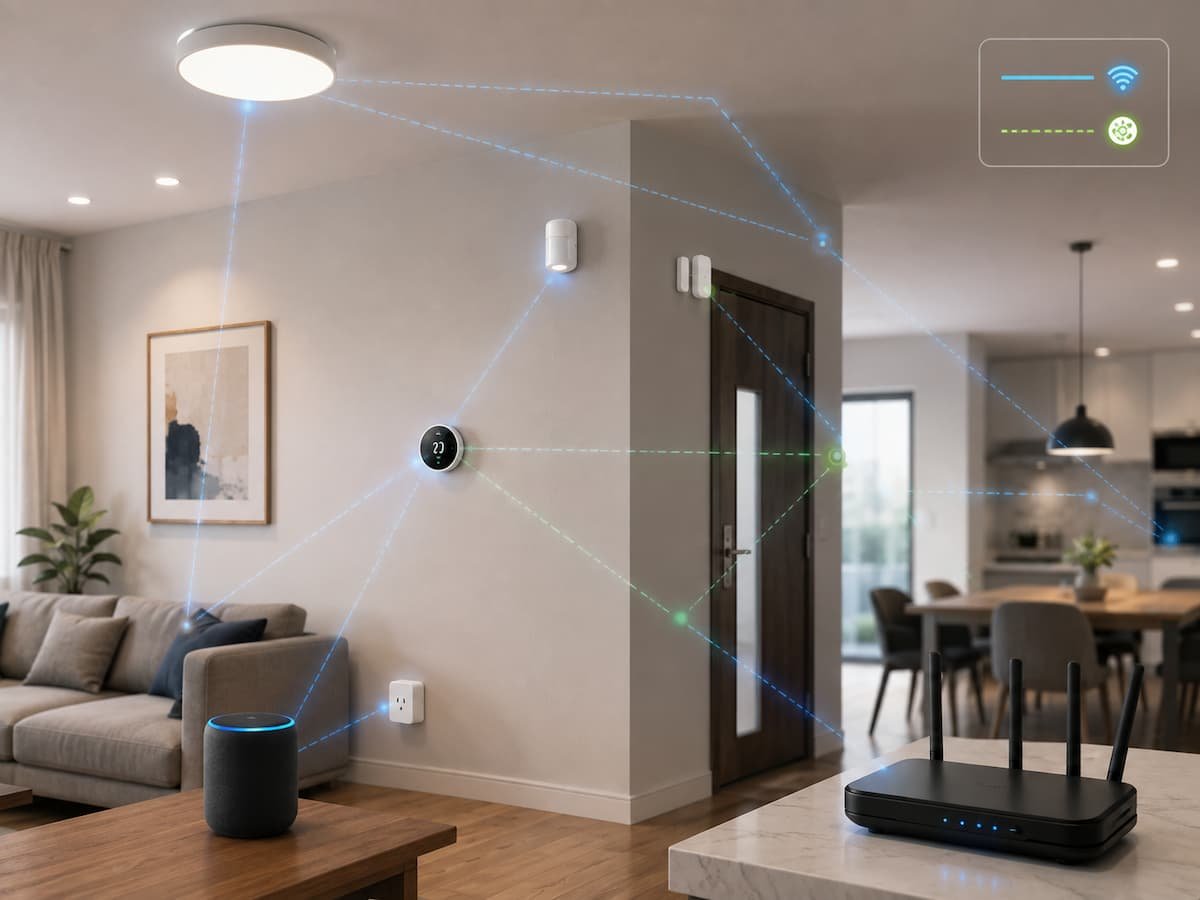
The good news is that you can avoid most compatibility problems before you buy anything. The key is to think about your smart home as one connected system rather than a collection of individual gadgets. You need to consider the platform you want to use, the communication technology each device uses, the hubs or controllers you may need, your Wi-Fi network, and the features you actually expect to use.
This guide explains how to plan a reliable smart home from the beginning. You will learn how to compare Matter, Wi-Fi, Thread, Bluetooth, and manufacturer-specific systems, how to check compatibility claims, how to avoid unnecessary hubs, and what to do when devices that appear compatible still do not work together.
Start With Your Main Smart Home Platform
The first decision should not be which smart bulb is cheapest. It should be which system you want to use to control your home. Common choices include Google Home, Apple Home, Amazon Alexa, Samsung SmartThings, and manufacturer-specific ecosystems. Your choice affects which apps, controllers, automations, and devices will fit naturally into the system.
For a beginner, choosing one main platform makes life much easier. You can still use devices from different manufacturers, but your main platform becomes the place where you organize rooms, create routines, and control equipment. This also makes troubleshooting easier because you have a clear starting point when something stops responding.
Do not assume that two products are compatible simply because both say “smart home.” Compatibility can mean several different things. A product may work with its own app but not your preferred platform. It may support voice commands but not every automation feature. It may work through Matter but still require a compatible controller or network technology.
| Decision | Why It Matters |
|---|---|
| Main platform | Determines how devices are organized and controlled |
| Communication method | Determines how devices connect to your network |
| Controller or hub | May be required for certain devices and remote control |
| Automation support | Determines what devices can actually do together |
Best practice: Choose your main platform first, then buy devices that clearly support it.
Understand What “Compatible” Really Means
The word “compatible” is one of the most confusing parts of smart home shopping. A device can be compatible at one level but incompatible at another. For example, a smart plug might connect to your home network and work perfectly in its manufacturer’s app. That does not automatically mean every feature will appear in Google Home, Apple Home, or another platform.
There are several layers to check. First is physical and network compatibility: can the device communicate with your network? Second is platform compatibility: can your chosen home app control it? Third is feature compatibility: can the platform use the functions you care about? Finally, there is automation compatibility: can the device participate in the routines you want to create?
This distinction becomes important with advanced devices. A sensor may be visible in your smart home app but expose only some of its capabilities. A thermostat may support basic temperature control but not every advanced setting. A camera may work with a voice assistant but require its own app for recordings or detailed configuration.
Use Matter as a Compatibility Guide
Matter is designed to make smart home devices work more consistently across supported platforms. It is an industry standard rather than a single brand’s ecosystem. Matter devices can use different underlying network technologies, including Wi-Fi and Thread, depending on the product.
That does not mean Matter eliminates every compatibility problem. Platform support for device categories and features can differ, and a Matter device may still need the appropriate controller or network infrastructure. Google, for example, notes that Matter devices using Thread require a Thread Border Router for setup and operation within Google Home.
Matter also has an important multi-admin feature. A compatible Matter device can potentially be shared across different Matter-enabled platforms instead of being locked to only one ecosystem. Google documents support for using Matter devices across platforms such as Google Home, Apple Home, and Amazon Alexa when the necessary requirements are met.
When shopping, look for the actual Matter logo rather than relying on vague wording such as “smart,” “connected,” or “works with voice assistants.” Then check whether the device category and features you need are supported by your chosen platform.
Know the Difference Between Wi-Fi, Thread, Bluetooth, and Other Protocols
Smart home devices do not all communicate in the same way. Understanding the basic differences can prevent many setup problems.
| Technology | Common Use | Important Consideration |
|---|---|---|
| Wi-Fi | Plugs, cameras, appliances, speakers | Uses your existing network and can increase network traffic |
| Thread | Low-power sensors, lights, locks and other smart devices | Usually requires a Thread Border Router |
| Bluetooth | Initial setup and short-range connections | Not always the main home-network connection |
| Zigbee/Z-Wave | Smart home sensors, switches and other devices | Usually requires compatible hub infrastructure |
Thread deserves special attention when building a modern smart home. It is designed as a low-power mesh networking technology. Google explains that Thread devices can extend coverage through the mesh and that battery-powered Thread devices can have power-efficiency advantages over comparable Wi-Fi devices.
The important lesson is not that one technology is always better. Instead, choose a combination that suits your home. Wi-Fi can be convenient because your router already supports it, while Thread can be useful for many small, battery-powered devices. The key is making sure your controller supports the technology you plan to use.
Check Whether You Need a Hub or Controller
A hub or controller acts as an important bridge between your smart home devices and the platform managing them. Some modern devices can communicate directly through your Wi-Fi network, while others depend on Thread or another protocol and need compatible infrastructure.
This topic is an area where buyers often make mistakes. They purchase several Thread devices and discover that their existing smart speaker does not provide the required function of a Thread border router. Or they buy devices that use a proprietary system and later find that they need a separate hub. Before buying, create a simple infrastructure list. Please list your router, preferred smart home platform, existing smart speakers or displays, and any hubs you already own. Then check whether those devices provide the functions required by your new products.
Google’s current documentation, for example, distinguishes between hubs that support Matter over Wi-Fi and hubs that also provide Thread Border Router functionality. Apple similarly notes that thread-based Matter accessories may require a thread-capable home hub or compatible thread border router for the best experience. Do not assume that every smart speaker, display, or streaming device is automatically a universal smart home hub.
Prepare Your Home Network Before Adding Devices
Your smart home is only as reliable as the network supporting it. A device can be perfectly compatible on paper and still behave badly if the Wi-Fi signal is weak, the router is overloaded, or network settings interfere with discovery and communication.
Start by checking coverage in the rooms where you plan to install devices. A smart thermostat at the edge of your Wi-Fi coverage may be more troublesome than a device beside the router. Cameras and other high-bandwidth products deserve particular attention because they can place greater demands on the network.
Keep your router firmware current and avoid making complicated network changes during initial smart home setup. If you use a mesh Wi-Fi system, confirm that devices can communicate correctly across the network. Some smart home setup processes also depend on IPv6 and other network requirements. Google specifically lists IPv6 support as one requirement for certain Matter setups. A simple approach is to build the network first and the smart home second. Make sure phones, computers, and existing connected devices are stable before adding twenty new products.
Build a Device Plan Instead of Buying Randomly
One of the easiest ways to create compatibility problems is buying devices one at a time without considering the whole system. A better approach is to decide what you want each room to accomplish.
For example, a bedroom might need a light, a temperature sensor, a smart plug, and a motion sensor. A hallway might need only a motion sensor and light. The kitchen could benefit from smart lighting and appliance monitoring. Once you know the goal, you can choose devices that use compatible standards and work with your main platform.
| Room | Possible Devices | Compatibility Question |
|---|---|---|
| Bedroom | Lights, sensor, plug | Can all three participate in the same routine? |
| Living room | Lights, speaker, TV | Can the chosen platform control the important functions? |
| Entryway | Motion sensor, light | Does the sensor communicate reliably from that location? |
| Kitchen | Appliance, sensor, lighting | Are advanced appliance features supported? |
This planning method also prevents unnecessary purchases. If your real goal is automatic hallway lighting, you may need a sensor and light rather than a collection of unrelated smart products.
Check the Fine Print Before Buying
Product packaging often uses large compatibility labels, but the smaller details can matter more. Before purchasing a device, check its official specifications and support documentation. Look for the supported platform, protocol, required hub, supported device category, and important limitations.
Pay special attention to words such as “requires,” “optional,” “supported,” and “not supported.” They can entirely change how a product works. A device may technically work without a hub but require one for remote access or advanced automation.
Also check whether the manufacturer still supports the product. Smart home equipment depends on software, mobile apps, firmware, and cloud services. A cheap device with poor long-term support may cause more trouble than a slightly more expensive product built around an established standard. Save the product’s setup guide and compatibility page when you buy it. Online documentation can change as platforms receive updates.
Set Up Devices in the Right Order
Adding everything at once makes troubleshooting unnecessarily difficult. If something fails, you will not know whether the problem comes from the device, network, account, hub, firmware, or automation.
- Update your phone and smart home application.
- Check that the router and network are working normally.
- Set up the required hub or controller.
- Update the device firmware if an update is available.
- Add one device and test it.
- Please assign it to the correct room and give it a clear name.
- Test its basic functions before you create automations.
- Add the next device only after the previous one works correctly.
Use clear names such as “Hallway Light” instead of vague names such as “Light 4.” Good naming becomes increasingly important as your system grows. If you eventually have ten lights, four sensors, and several plugs, unclear names can make voice commands and automation rules difficult to manage.
Plan Automations Around Supported Features
Compatibility is not only about whether devices appear in the same app. The real test is whether they can perform the actions you want. Imagine buying a motion sensor and a smart bulb because both support your platform. That sounds compatible, but you still need to confirm that the platform can use the sensor as a trigger and control the bulb as an action.
Start with simple automations. A hallway motion sensor turning on a light is easier to test than a complicated routine involving temperature, time, occupancy, several rooms, and multiple conditions. Build one automation, test it for several days, and then expand it. If something fails, simplify the rule until you can identify the problem.
It is also useful to separate device problems from automation problems. First, please confirm that the device responds manually. If the light works when you tap its control in the app but does not turn on during an automation, the device connection may be fine and the problem may be with the routine itself.
Include Security and Privacy in Compatibility Decisions
A reliable smart home should also be a secure one. Connected devices may collect information about activity, room conditions, voice interactions, or other aspects of household life. Cameras, microphones, locks, and sensors deserve particular attention because they can expose more sensitive information than a basic light.
Use strong, unique passwords for important accounts, enable available multi-factor authentication, keep firmware updated, and remove devices you no longer use. Review app permissions and account-sharing settings from time to time. NIST’s consumer IoT guidance emphasizes cybersecurity outcomes for connected products, while its recent smart home research highlights the importance of consumer education around security and privacy.
Privacy is also part of compatibility planning. Before buying a cloud-dependent product, understand what happens if the manufacturer’s service changes or becomes unavailable. Products that provide useful local functionality can reduce dependence on an external service, although the exact capabilities vary by device and platform.
Troubleshoot Compatibility Problems Systematically
When a device refuses to work, avoid changing five settings at once. Start with the simplest possible explanation. Is the device powered on? Is the phone connected to the correct network? Is the device within range? Does the manufacturer’s app detect it? Does the smart home platform list it as supported?
| Problem | What to Check First |
|---|---|
| Device cannot be discovered | Power, pairing mode, Bluetooth permissions, network connection |
| Device connects but disappears | Wi-Fi coverage, hub connection, firmware, network stability |
| Basic control works but automation fails | Supported triggers, actions, permissions, routine settings |
| Thread device will not set up | Thread Border Router and platform support |
| Device works in manufacturer app only | Platform compatibility and supported integration method |
If a Matter device was previously paired with another platform, verify whether it needs to be shared through Matter’s Multi-Admin process rather than being treated like a completely new device. Google and Apple both document methods for adding previously paired Matter accessories to their platforms.
Finally, read the manufacturer’s troubleshooting documentation before performing a factory reset. A reset can remove configuration information and create more work without solving the original problem.
Keep Your Smart Home Reliable Over Time
Compatibility is not a one-time decision. Smart home platforms change, firmware is updated, routers are replaced, and manufacturers add or remove features. A system that works perfectly today still needs occasional maintenance. Keep a simple record of your important devices, their locations, the platform they use, and any hubs they depend on. This is especially helpful if you move a device, replace a router, or need to troubleshoot months later.
Install firmware updates when appropriate, but avoid updating every component at exactly the same time if your system is large and heavily automated. After major updates, test important routines such as lighting, heating, door access, or safety-related notifications.
Every few months, review your device list. Remove products you no longer use, delete abandoned automations, and rename devices that have moved to different rooms. A smaller, well-organized system is usually easier to maintain than a large collection of disconnected gadgets.
A practical smart home maintenance checklist:
- Check for important firmware updates.
- Review connected accounts and shared household access.
- Remove unused devices.
- Test important automations.
- Confirm hubs and controllers are still supported.
- Review router and Wi-Fi settings after major network changes.
- Replace weak batteries in sensors and other battery-powered devices.
Conclusion
Building a compatible smart home system begins even before you purchase your first device. Choose a primary platform, understand how devices communicate, check whether a gateway or Thread Border Router is required, and verify the specific features supported by each product. Standards like Matter can simplify compatibility across brands, but they cannot replace careful planning.
The most reliable approach is to build gradually. Start with a small number of devices, test them one by one, use clear and intuitive names, set up simple automations, and scale up only once the infrastructure is working smoothly. Regularly maintain routers, gateways, apps, and device firmware, and treat security and privacy as integral parts of the design rather than an afterthought. A smart home doesn’t need dozens of devices to function effectively. A small system where products communicate reliably is often far more practical than a large collection of devices that constantly require troubleshooting.
FAQs
1. Can Matter devices from different brands work together?
Yes. Matter aims to improve interoperability between compatible smart home products from different manufacturers. However, “Matter compatibility” does not guarantee that every platform supports all device types or features simultaneously. Before purchasing, check the latest support information for your chosen smart home platform. Matter also relies on a suitable network connection, and Thread-based products require an appropriate Thread infrastructure.
2. Do I need a smart home hub if I use Matter?
Not necessarily. Specific requirements depend on the platform, the devices, the connectivity, and the functionality you need. Infrastructure requirements may differ between Wi-Fi Matter devices and Thread Matter devices. Thread-based devices typically require access to the Thread network via a Thread border router. Some smart speakers, displays, routers, and other controllers can provide this functionality, so check your existing devices before purchasing a new hub.
3. Which is better for a smart home: Wi-Fi or Thread?
Both have advantages and disadvantages. The advantage of Wi-Fi is that most homes already have a Wi-Fi network, and it is suitable for many devices requiring higher bandwidth. Thread is designed for low-power mesh networks and is particularly well-suited for small, battery-operated smart home devices. The best choice depends on the device type, home layout, existing infrastructure, and platform support. Smart homes can also use both technologies simultaneously.
4. Why isn’t my device working properly, even though it is labeled as compatible?
Compatibility labels can indicate varying levels of support. A product might support the manufacturer’s app, voice commands, or platform integration but lack certain advanced features. Network settings, unsupported device categories, outdated firmware versions, and missing hubs can also cause issues. Check the official support page for specific product and platform combinations rather than relying solely on compatibility claims on the packaging.
5. Do I need to buy all my smart home devices from the same brand?
Not necessarily. While buying all devices from the same manufacturer simplifies setup, it is not essential. A standards-based approach allows you to choose products from different manufacturers and integrate them into a single main platform. It is important to check compatibility before purchasing. If a product uses its own system, find out whether that system requires a dedicated hub or app and whether it integrates with other devices in your home.
References
- Google Home and Nest Help — Matter setup, compatibility, hubs, Wi-Fi, and Thread requirements.
- Apple Support — Matter devices and Home app setup requirements.
- National Institute of Standards and Technology (NIST) — Consumer IoT Cybersecurity Baseline.
- National Institute of Standards and Technology (NIST) — Survey on Smart Home Users’ Security and Privacy Perceptions and Actions.

ClarityTechHub Editorial Team publishes practical technology guides covering device compatibility, accessibility, home technology, maintenance, and technology setup. Our articles focus on explaining everyday technology problems clearly, comparing practical solutions, and helping readers make informed decisions about the devices and systems they use.